Click

Showing posts with label Tablet. Show all posts

Sunday, March 2, 2014

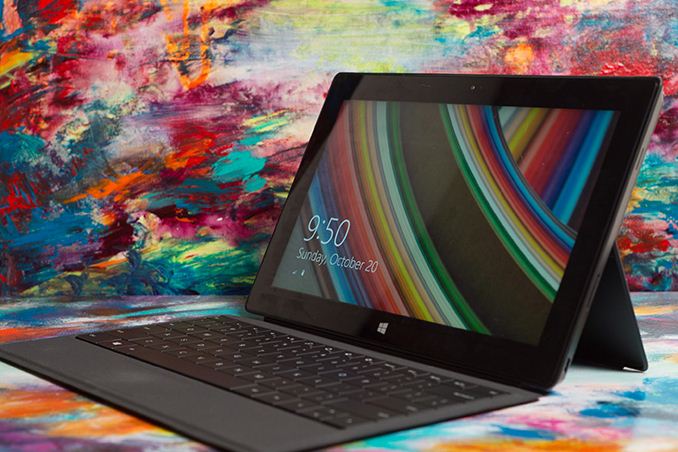
Microsoft Surface Pro 2 Firmware Update Improves Battery Life

Shortly after general availability of the Surface Pro 2, Microsoft pushed out a firmware update that allowed the Marvell WiFi solution to drive down to even lower power states. I spoke with Microsoft after the update went live and immediately re-ran both of our battery life benchmarks on the Surface Pro 2. The improvement is significant.
As a recap, both of our battery life tests are run with the displays calibrated to 200 nits and running a fixed workload. A faster system doesn't mean more repetitions of a workload, just that the system enjoys more time idle. 
The web browsing benchmark cycles through a series of desktop web pages at an aggressive interval until the battery dies. 
Web Browsing Battery Life (WiFi)
In our web browsing battery life test, Surface Pro 2 now manages better battery life than Surface 2. Microsoft told me that their internal target was over 8 hours, and this firmware update brings it up to snuff via a nearly 25% increase in battery life. 
Video playback also sees a boost since I test with WiFi enabled and connected to an active AP. Here we're playing back a rip I made of the last Harry Potter movie. It's a 720p 4Mbps high-profile H.264 video:
Video Playback Battery Life (720p, 4Mbps HP H.264)
Haswell's video playback still doesn't seem all that power efficient. I've heard a rumor that this gets fixed in Broadwell though. The improvement on the video playback side is still reasonable at 16% over the numbers I originally ran.
A software update also rolled back the Surface Pro 2's video drivers to an earlier version that seems to have fixed the display corruption on wake issue as well. If you're wondering, Surface 2 didn't receive any similar battery life changing firmware update.
I chatted with Microsoft a bit about why Surface Pro 2 can't seem to deliver the same battery life in these tests as a 2013 MacBook Air. They correctly pointed to the litany of sensors included in Surface Pro 2, as well as the higher resolution display, active digitizer and capacitive touch all of which increase power draw over the MBA. While it's still true that we run into a lot of poorly optimized Windows notebooks as far as battery life is concerned, Jarred recently reviewed the new Sony VAIO Pro 13 that is a clear exception. 
The VAIO Pro 13 is, for the first time in my memory, able to equal Apple's idle power efficiency if you normalize for battery capacity. The 2013 MBAs still managed to be more efficient under heavier workloads, but Sony at least showed it was possible to close the idle power gap.

Saturday, March 1, 2014

NVIDIA's Tegra Note 7 LTE and Tegra 4i Devices: Hands On

Yesterday I spent some time with NVIDIA where I played with the newly announced Tegra Note 7 LTE. Internally the $299 Note 7 LTE is identical to the WiFi-only version, but with the inclusion of a NVIDIA i500 mini PCIe card. 
As many of you noticed in our announcement post of the Tegra Note 7 LTE, there is an increase in weight for the LTE version. It turns out the added weight is because the Note 7 LTE actually gets a slightly redesigned chassis that's a bit more structurally sound. The main visual change is on the back cover which now looks more 2013 Nexus 7-like.
The Tegra Note 7 LTE was able to connect and transact data on a live LTE network. NVIDIA tells me that devices will be available sometime in Q2 and will ship fully unlocked. NVIDIA did add that the final list of bands supported might change.
NVIDIA also had the Wiko WAX, which is one of the first (if not the first) retail Tegra 4i device. The WAX features a 4.7" 720p display, 8MP rear facing camera and obviously NVIDIA's Tegra 4i. NVIDIA expects availability in Europe beginning in April. 

Samsung's Exynos 5422 & The Ideal big.LITTLE: Exynos 5 Hexa (5260)

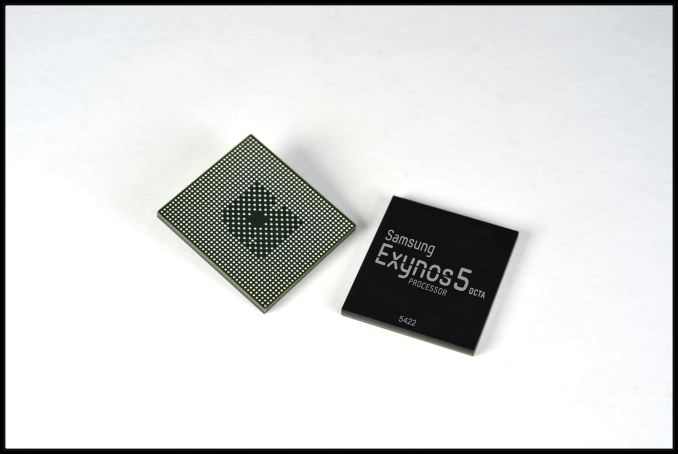
Samsung announced two new mobile SoCs at MWC today. The first is an update to the Exynos 5 Octa with the new Exynos 5422. The 5422 is a mild update to the 5420, which was found in some international variants of the Galaxy Note 3. The new SoC is still built on a 28nm process at Samsung, but enjoys much higher frequencies on both the Cortex A7 and A15 clusters. The two clusters can run their cores at up to 1.5GHz and 2.1GHz, respectively.
The 5422 supports HMP (Heterogeneous Multi-Processing), and Samsung LSI tells us that unlike the 5420 we may actually see this one used with HMP enabled. HMP refers to the ability for the OS to use and schedule threads on all 8 cores at the same time, putting those threads with low performance requirements on the little cores and high performance threads on the big cores.
The GPU is still the same ARM Mali-T628 MP6 from the 5420, running at the same frequency. Samsung does expect the 5422 to ship with updated software (drivers perhaps?) that will improve GPU performance over the 5420.
Exynos 5 Comparison
SoC52505260541054205422
Max Number of Active Cores2644 (?)8
CPU Configuration2 x Cortex A152 x Cortex A15 + 4 x Cortex A74 x Cortex A15 + 4 x Cortex A74 x Cortex A15 + 4 x Cortex A74 x Cortex A15 + 4 x Cortex A7
A15 Max Clock1.7 GHz1.7GHz1.6GHz1.8GHz2.1GHz
A7 Max Clock-1.3GHz1.2GHz1.3GHz1.5GHz
GPUARM Mali-T604 MP4ARM Mali-T624 (?)Imagination PowerVR SGX544MP3ARM Mali-T628 MP6ARM Mali-T628 MP6
Memory Interface2 x 32-bit LPDDR3-16002 x 32-bit LPDDR3-1600 (?)2 x 32-bit LPDDR3-16002 x 32-bit LPDDR3-18662 x 32-bit LPDDR3-1866
Process32nm HK+MG28nm HK+MG (?)28nm HK+MG28nm HK+MG28nm HK+MG 
The launch vehicle for the 5422 is likely the recently announced Galaxy S 5. Although most of what we'll encounter will ship with Qualcomm's Snapdragon 801, we'll likely see some international variants with the 5422. It's also entirely possible that some future Exynos 5422 SGS5 variants will feature an Intel XMM 7160 LTE modem.
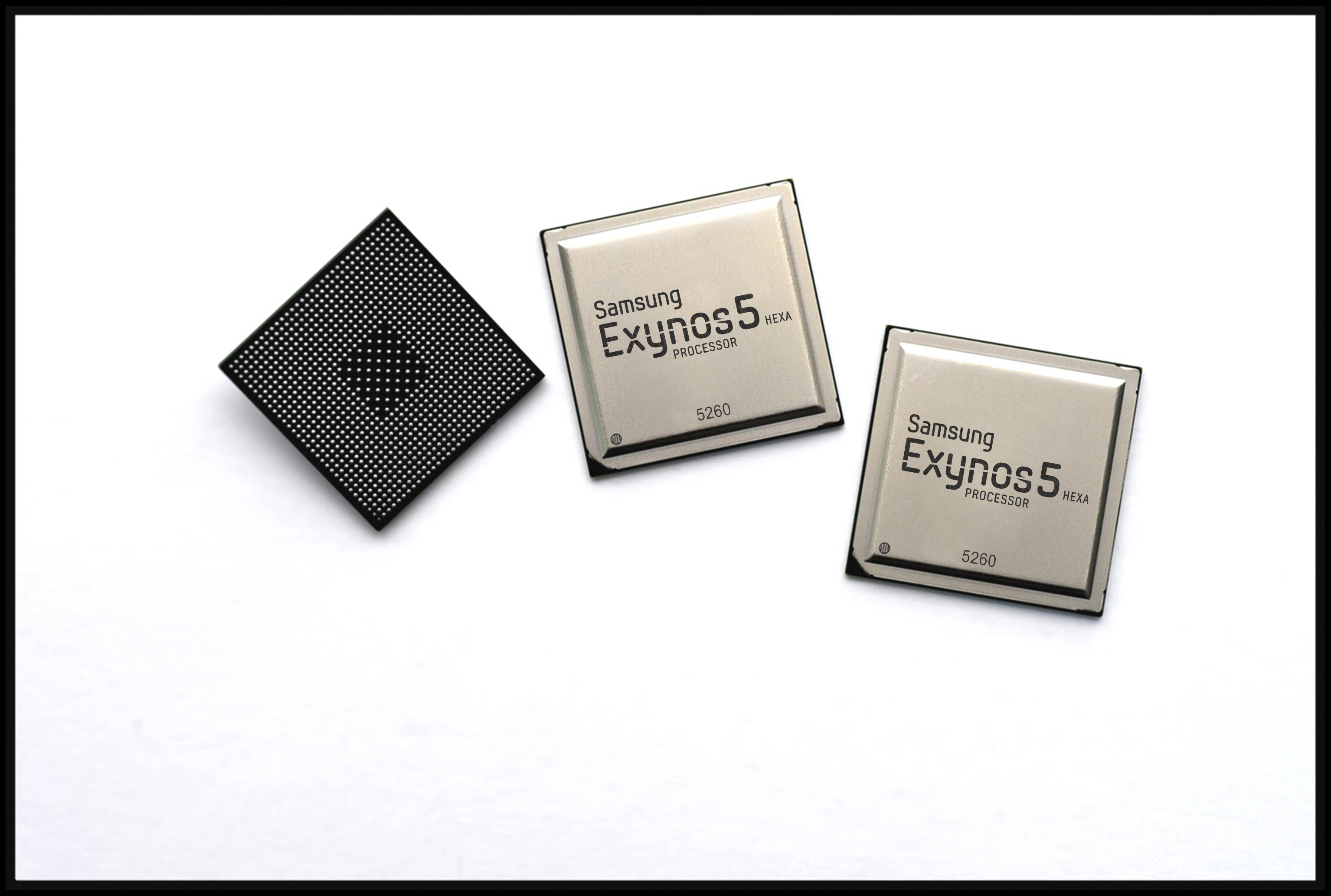
The more exciting news however is the new Exynos 5 Hexa, a six-core big.LITTLE HMP SoC. With a design that would make Peter Greenhalgh proud, the Exynos 5260 features two ARM Cortex A15 cores running at up to 1.7GHz and four Cortex A7 cores running at up to 1.3GHz. The result is a six core design that is likely the best balance of performance and low power consumption. HMP is fully supported so a device with the proper scheduler and OS support would be able to use all 6 cores at the same time.
The 5260 feels like the ideal big.LITTLE implemention. I'm not expecting to find the 5260 in many devices, but I absolutely want to test a platform with one in it. If there was ever a real way to evaluate the impact of big.LITTLE, it's Samsung's Exynos 5260.
Samsung didn't announce cache sizes, process node or GPU IP for the 5260. Earlier leaks hinted at an ARM Mali T624 GPU. Samsung's release quotes up to 12.8GB/s of memory bandwidth, which implies a 64-bit wide LPDDR3-1600 interface.

Wednesday, May 15, 2013

Sony Xperia Tablet S: A Tablet and Universal Remote Rolled Into One

The Android tablet market is getting decidedly crowded, with dozens of different offerings from big and small companies alike, in sizes from 5” to 13.3”. How do you make your device stand out from the crows when most tablets are running the same OS and variants of the same hardware? Sony hopes to garner increased consumer interest by incorporating remote control and macro functionality with their new Tablet S. Let’s start with the specs first:
Sony Tablet S SGPT121US/S Specifications
Operating SystemAndroid 4.0
ProcessorNVIDIA Tegra 3 Quad-Core Cortex-A9 CPU 1.4GHz
(Maximum 1.4 GHz 1-Core Operation, 1.3GHz Multi-Core Operation)
Storage16GB/32GB/64GB
RAM1GB
Display9.4" (23.8 cm) 1280x800
I/OSD memory card
Headphone
Multi Port
IR remote control w/ macro functionality
NetworkingBluetooth 3.0
802.11a/b/g/n
Camera1Mp Front
8Mp Rear
Battery~12 hours video playback
~10 hours Wi-Fi web browsing
Dimensions9.45"x6.87"x0.35"~0.47" (WxLxH)
240mmx174.5mmx8.9-11.9mm
Weight1.26 lbs (573g)
Pricing$399/$499/$599 (16GB/32GB/64GB)
The core specs are nothing out of the ordinary; Sony uses the ubiquitous NVIDIA Tegra 3 SoC clocked at 1.3/1.4GHz with a 1280x800 LCD and 16 to 64GB of storage. Pricing is certainly higher than many competing tablets, and the margins on the 32GB and 64GB models are frankly obscene ($5 to $10 of flash memory bumps the price up $100 to $200), but we’ve seen that elsewhere. The Tablet S also has a non-uniform thickness, with a somewhat unusual rounded top edge where the IR remote is located. We pretty much know what to expect from the hardware side of the equation (other than the IR remote), but the software package is where Sony hopes to differentiate.
The IR remote is designed to allow control of most home theater devices, including Blu-ray players, HDTVs, stereos, and cable boxes. Macro functionality allows you to program sequences so that a single button can power on the appropriate devices, select the correct input, and you can quickly “Watch TV” or “Play Blu-ray”. I can’t imagine most people are interested in spending $400+ on a glorified remote, but if you’re already looking to buy a tablet then the extra functionality could be enough to sway you.
Going along with the remote/living room device concept, Sony has a “Watch Now” application that provides an interactive, visual program guide. It will pull information from your personal preferences along with real-time trends from social media feeds, potentially allowing you to discover new shows or learn more about shows you already watch. And of course, Watch Now can integrate with the universal remote to allow you to quickly change the channel to a new show. The Tablet S also supports DLNA for use with compatible PCs, TVs, speakers, etc.
Another software feature Sony touts is their Guest Mode, where you can manage multiple users. Besides allowing different wallpaper for each user, you can customize the applications and widgets available. Such a setup is going to be particularly beneficial for people that want to use the Tablet S as a remote as well as a personal tablet—you wouldn’t want your friends (or you kids’ friends) to start snooping around your email while watching TV, after all.
Rounding out the features are two last items. First, Sony has a “Small Apps” function that allows you to use one application in a small screen while continuing to use another main application. The Small Apps include a calculator, web browser, voice recorder, timer, and the IR remote—we’d like to see some sort of chat or email added to that list. Second, Sony includes a redemption code for three movies via the Google Play movie library (out of a selection of 15 movies), worth up to $45. These are Sony films and are subject to change without notice, but right now it looks like Men In Black II, Moneyball, Anonymous, Battle: Los Angeles, and Friends with Benefits are some of the offerings.
The Sony Tablet S is available for pre-order right now, with shipping scheduled for September 7. Pricing starts at $399 for the 16GB model, though we might see lower retail prices once the tablet shows up in stores. Sony also has several peripherals available for the Tablet S, including a case with keyboard, HDMI adapter, charging cradle, a variety of other cases (sans keyboard), several variations of docking stand, a screen protector, and a slipcase.

 Gallery


Tuesday, April 30, 2013

The Great Equalizer Part 2: Surface Pro vs. Android Devices in 3DMark


While we're still waiting for Windows RT and iOS versions of the latest 3DMark, there is one cross-platform comparison we can make: Ivy Bridge/Clover Trail to the Android devices we just tested in 3DMark.
The same caveats exist under 3DMark that we mentioned in our GL/DXBenchmark coverage: not only is this a cross-OS comparison, but we're also looking across APIs as well (OpenGL ES 2.0 for Android vs. Direct3D FL 9_1 for Windows). There will be differences in driver maturity not to mention just how well optimized each OS is for the hardware its running on. There are literally decades of experience in optimizing x86 hardware for Windows, compared to the past few years of evolution on the Android side of the fence.
Absent from these charts is anything running on iOS. We're still waiting for a version of 3DMark for iOS unfortunately. If our previous results are any indication however, Qualcomm's Adreno 320 seems to be hot on the heels of the GPU performance of the 4th generation iPad:
In our GL/DXBenchmark comparison we noted Microsoft's Surface Pro (Intel HD 4000 graphics) managed to deliver 3x the performance of the 4th generation iPad. Will 3DMark agree?
All of these tests are run at the default 720p settings. The key comparisons to focus on are Surface Pro (Intel HD 4000), VivoTab Smart (Intel Clover Trail/SGX 545) and the HTC One (Snapdragon 600/Adreno 330). I've borrowed the test descriptions from this morning's article.

Graphics Test 1


Ice Storm Graphics test 1 stresses the hardware’s ability to process lots of vertices while keeping the pixel load relatively light. Hardware on this level may have dedicated capacity for separate vertex and pixel processing. Stressing both capacities individually reveals the hardware’s limitations in both aspects.
In an average frame, 530,000 vertices are processed leading to 180,000 triangles rasterized either to the shadow map or to the screen. At the same time, 4.7 million pixels are processed per frame.
Pixel load is kept low by excluding expensive post processing steps, and by not rendering particle effects.
In this mostly geometry bound test, Surface Pro does extremely well. As we saw in our GL/DXBenchmark comparison however, the ARM based Android platforms don't seem to deliver the most competitive triangle throughput.

Graphics Test 2


Graphics test 2 stresses the hardware’s ability to process lots of pixels. It tests the ability to read textures, do per pixel computations and write to render targets.
On average, 12.6 million pixels are processed per frame. The additional pixel processing compared to Graphics test 1 comes from including particles and post processing effects such as bloom, streaks and motion blur.
In each frame, an average 75,000 vertices are processed. This number is considerably lower than in Graphics test 1 because shadows are not drawn and the processed geometry has a lower number of polygons.
The more pixel shader bound test seems to agree with what we've seen already: Intel's HD 4000 appears to deliver around 3x the performance of the fastest ultra mobile GPUs, obviously at higher power consumption. In the PC space a 3x gap would seem huge, but taking power consumption into account it doesn't seem all that big of a gap here.

Physics Test

The purpose of the Physics test is to benchmark the hardware’s ability to do gameplay physics simulations on CPU. The GPU load is kept as low as possible to ensure that only the CPU’s capabilities are stressed.
The test has four simulated worlds. Each world has two soft bodies and two rigid bodies colliding with each other. One thread per available logical CPU core is used to run simulations. All physics are computed on the CPU with soft body vertex data updated to the GPU each frame. The background is drawn as a static image for the least possible GPU load.
The Physics test uses the Bullet Open Source Physics Library.
Surprisingly enough, the CPU bound physics test has Surface Pro delivering 2.3x the performance of the Snapdragon 600 based HTC One. Quad-core Cortex A15 based SoCs will likely eat into this gap considerably. What will be most interesting is to see how the ARM and x86 platforms converge when they are faced with similar power/thermal constraints. 
What was particularly surprising to me is just how poorly Intel's Atom Z2560 (Clover Trail) does in this test. Granted the physics benchmark is very thread heavy, but the fact that four Cortex A9s can handily outperform two 32nm Atom cores is pretty impressive. Intel hopes to fix this with its first out-of-order Atom later this year, but that chip will also have to contend with Cortex A15 based competitors.

Ice Storm - Overall Score


The overall score seems to agree with what we learned from the GL/DXBenchmark comparison. Intel's HD 4000 delivers around 3x the graphics performance of the leading ultra mobile GPUs, while consuming far more power. Haswell will drive platform power down, but active power should still be appreciably higher than the ARM based competition. I've heard rumblings of sub-10W TDP (not SDP) Haswell parts, so we may see Intel move down the power curve a bit more aggressively than I've been expecting publicly. The move to 14nm, and particularly the shift to Skylake in 2015 will bring about true convergence between the Ultrabook and 10-inch tablet markets. Long term I wonder if the 10-inch tablet market won't go away completely, morphing into a hybird market (think Surface Pro-style devices) with 7 - 8 inch tablets taking over.
It's almost not worth it to talk about Clover Trail here. The platform is just bad when it comes to graphics performance. You'll notice I used ASUS' VivoTab Smart here and in the GL/DXBenchmark comparison instead of Acer's W510. That's not just because of preference. I couldn't get the W510 to reliably complete GL/DXBenchmark without its graphics driver crashing. It's very obvious to me that Intel didn't spend a lot of time focusing on 3D performance or driver stability with Clover Trail. It's disappointing that even in 2012/2013 there are parts of Intel that still don't take GPU performance seriously.
The next-generation 22nm Intel Atom SoC will integrate Intel's gen graphics core (same architecture as HD 4000, but with fewer EUs). The move to Intel's own graphics core should significantly modernize Atom performance. The real question is how power efficient it will be compared to the best from Imagination Tech and Qualcomm.


Tuesday, April 23, 2013

Samsung Galaxy Note 8.0 Review


For the past couple of years Samsung, and many other Google partners, have been on the hunt to improve productivity on Android - particularly on tablets. We’ve seen hardware solutions (ASUS’ Transformer line) as well as software solutions (Samsung’s multi-window support) emerge. No one has really perfected the productivity story for Android tablets. I’m not entirely sure that long term even Google sees Android as the productivity platform of choice (perhaps Chrome OS will assume that role?), but there’s no shortage of attempts to solve this problem.
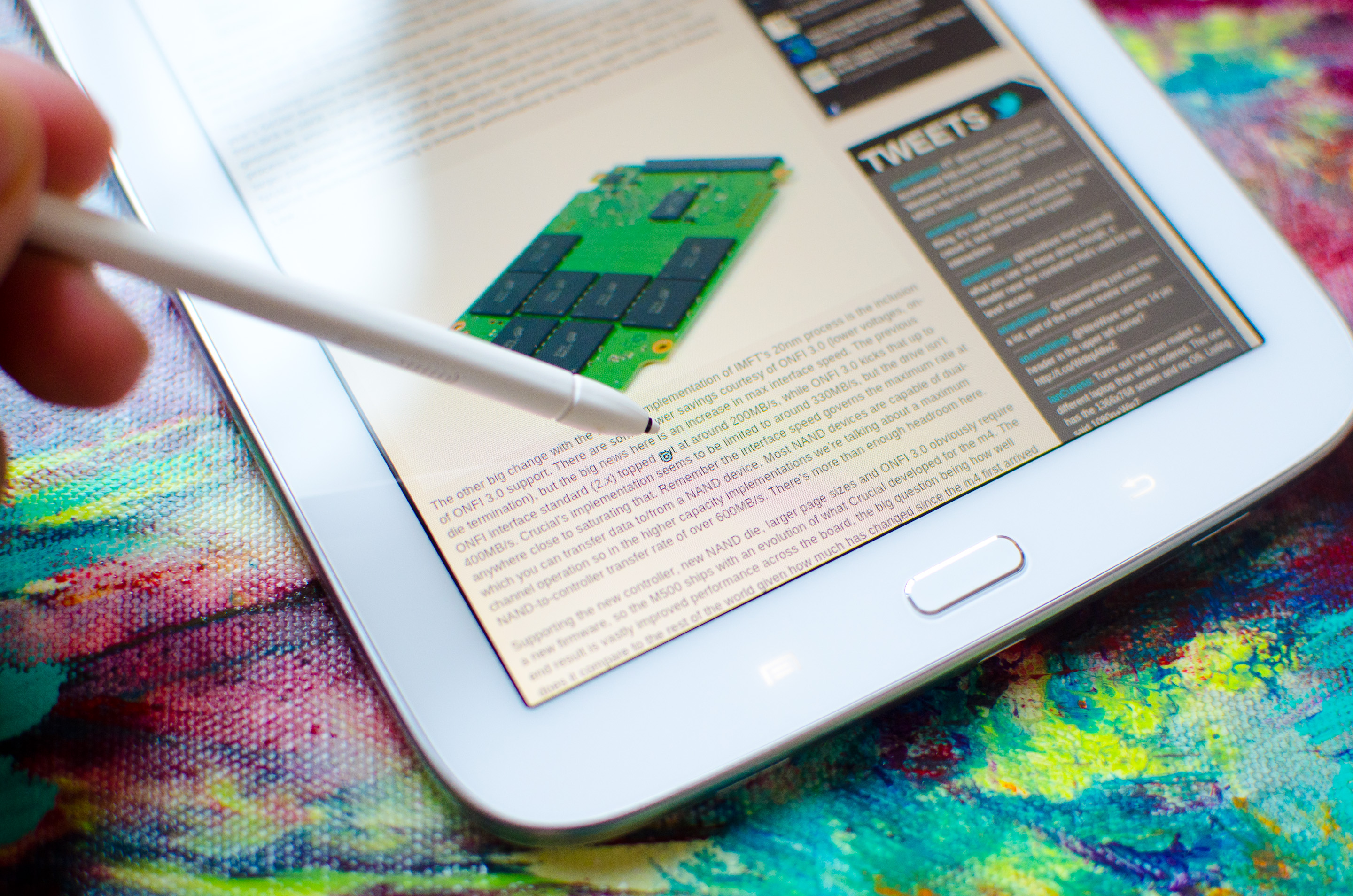
While ASUS was at the forefront of addressing the productivity issue for a while with its Transformer tablets, Samsung has since picked up the torch with its Galaxy Note family of devices. What started as a giant smartphone has now evolved to encompass an entire lineup of tablets as well. The productivity aspect of the Note line is really tied to the integrated active digitizer and stylus (S Pen) that comes with the devices. There are software and other features that complete the picture (e.g. IR blaster), but it all stems from the S Pen. Last year Samsung introduced the Galaxy Note 10.1, its first 10-inch tablet with an integrated S Pen. This year, Samsung expanded the line with an 8-inch model, the aptly named Galaxy Note 8.0.

Design

There’s a whole lot of excitement around sub-8” tablet form factors. It turns out that people like carrying their tablets with them, and smaller tablets make for better travel companions. There’s a lot of debate over what everyone settles on as the ideal form factor for tablets (and smartphones, notebooks, desktops), but for now we’re still in a period of wait and see.
There’s more clarity today than there was a few years ago however. The scene is still foggy, but some elements are coming into focus.
The 10-inch tablet market is on a crash course headed straight for the entry level ultraportable notebook market. Microsoft’s Surface Pro is a very early hint at that convergence. Long term I wouldn’t be surprised if we see the “traditional” 10-inch tablet market go away and be replaced by some form of a convergence device (read: tablet with a real keyboard solution). The 11-inch notebook market would be collateral damage in this scenario. Potentially hilarious outcome: if Apple or Microsoft actually make this happen, I wonder how Intel’s success will be graded on its Ultrabook campaign.
The smaller-than-10-inch category seems strong, at least for the somewhat near future. The success of the Nexus 7 and iPad mini proved that this form factor had life. Previous attempts failed because neither the software nor the hardware was ready. Some of Samsung’s first small tablets suffered from these problems.
Only a few short years later, the world is already very different. Android has matured into a real tablet OS, many of its UI performance concerns have been addressed and the hardware is much faster. While earlier attempts at building small Android tablets failed, the ingredients are ripe this time around.

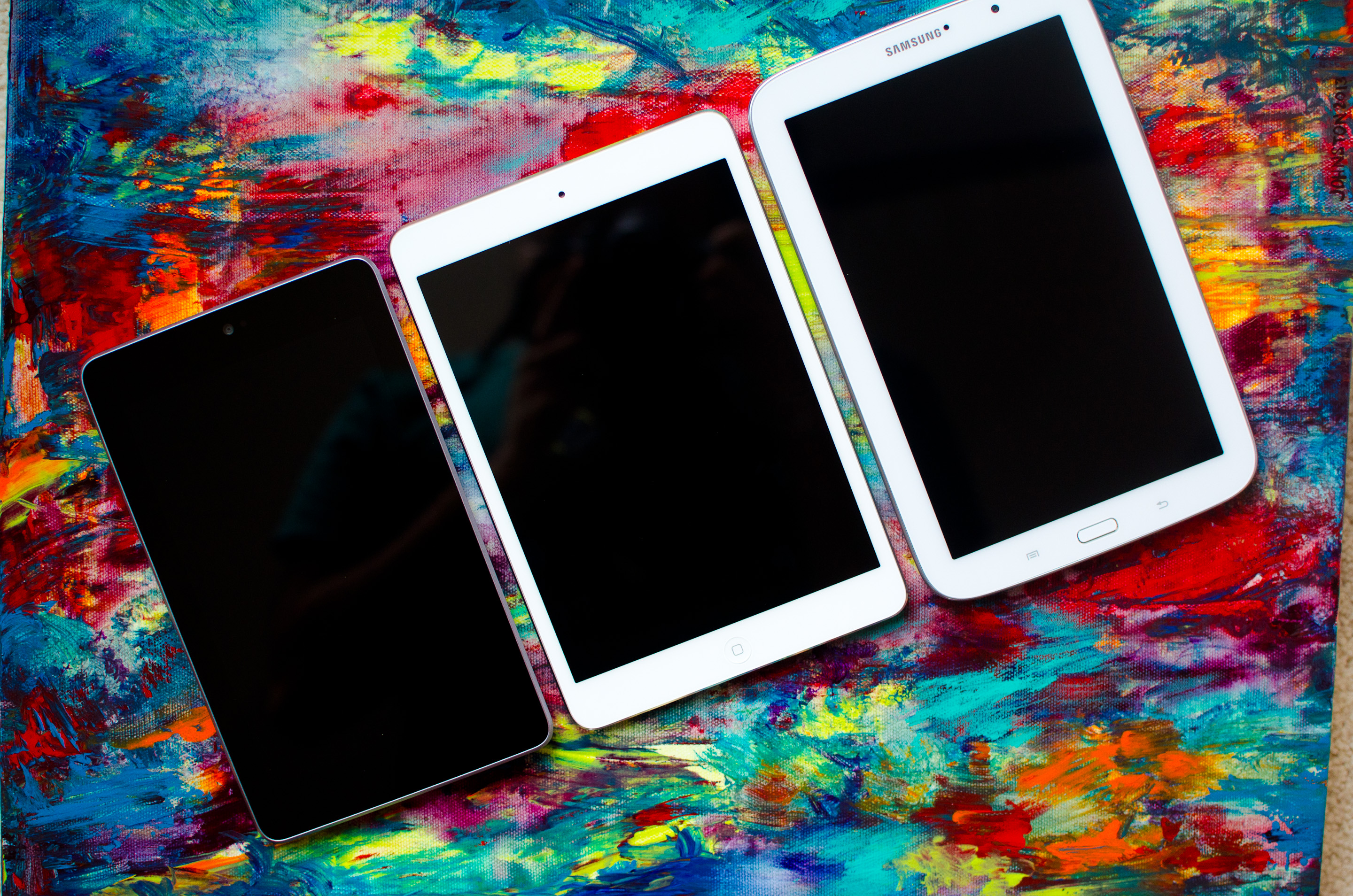
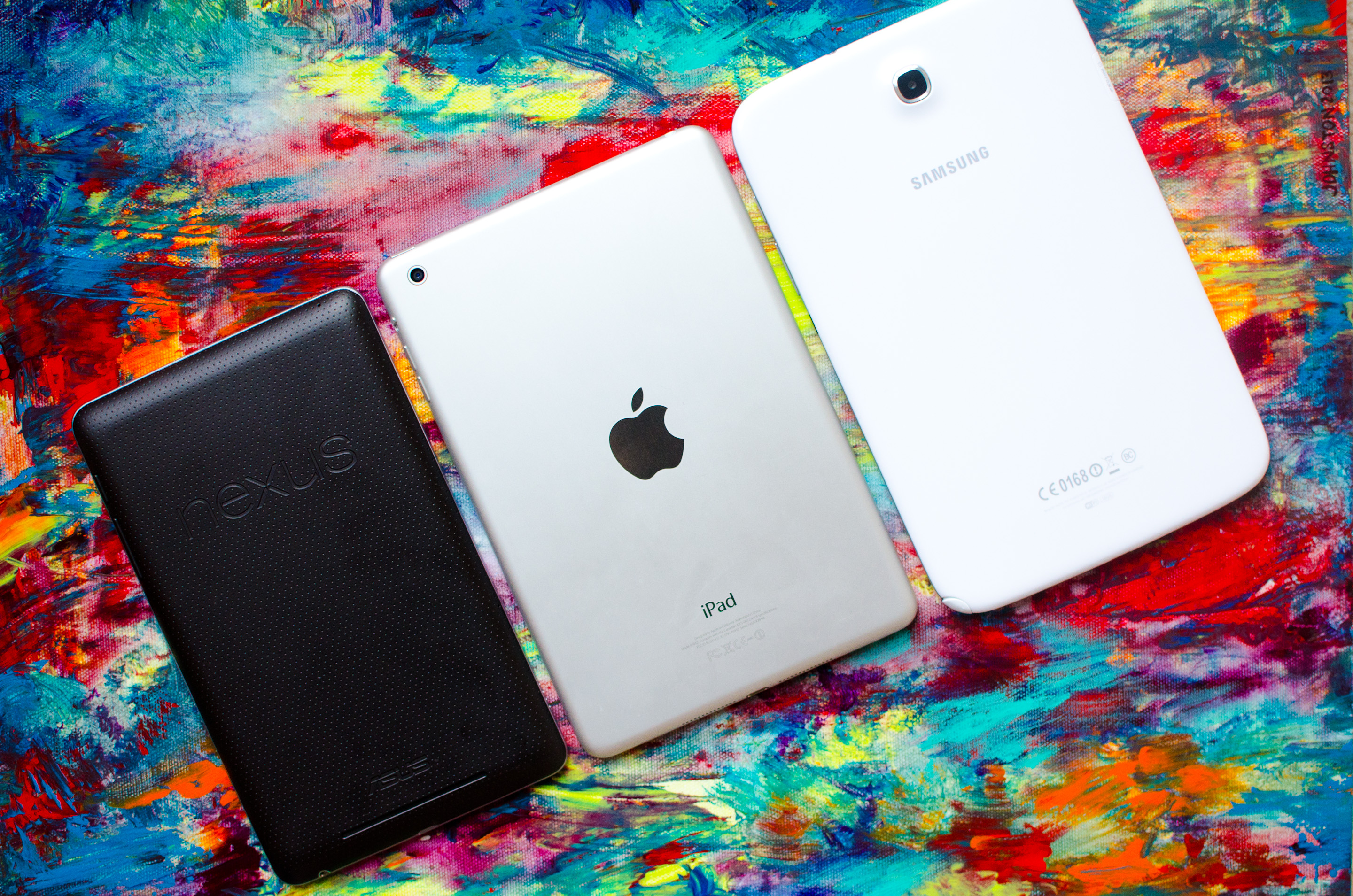
From left to right: Nexus 7, iPad mini, Galaxy Note 8.0
Eight inches is an interesting choice for a Galaxy Note. Compared to the Nexus 7 or iPad mini, the Note 8.0 feels a bit larger. The dimensions on paper don’t look significantly bigger, but you are talking about a thicker, taller and slightly wider device than an iPad mini. The Note 8.0 doesn’t feel too big, just bigger.
The 8 is a bit too large to wield comfortably in a single hand, but it’s light enough where I really don’t mind carrying it around. For a tablet I’m only going to use at home in a single sitting location, I might want something larger. For something I’m going to carry around with me a lot, I want something more like the Galaxy Note 8.0, iPad mini or Nexus 7.

From left to right: Nexus 7, iPad mini, Galaxy Note 8.0
Samsung loves its plastic enclosures, and the Note 8.0 isn’t an exception to the rule. Glossy white dominates the device. I don’t want to dwell too much on Samsung’s materials choice here other than to say it’s an obvious cost and weight savings play. Whether it matters or how much it matters really depends on how you are with your belongings.

Metal (bottom) vs. Plastic (top)
If you’re the type of person to value, polish and take care of the things you own, the Note 8’s construction doesn’t convey luxury. If you want something you’re not going to feel bad about tossing about like you would your keys or a bag, maybe a plastic tablet is less of a problem.
Upon its introduction, Apple made a big deal about the iPad mini having significantly more usable display area than the Nexus 7. The same complaints can’t be levied against the Galaxy Note 8.0, which features a display with 96% of the surface area of the iPad mini:
The iPad mini’s display is wider, while the Note 8’s is taller - a difference forced by having similar diagonal screen sizes (7.9” vs 8.0”) but vastly different aspect ratios (4:3 vs 16:10). In the 8-inch form factor, 16:10 works very well. Get too large and it becomes a bit awkward for portrait use in my opinion (see: Surface RT/Pro, although those are 16:9) but it’s not an issue on the Note 8.0. Whether or not you prefer 16:10 or 4:3 really depends on what type of content you’re viewing on the device. The former is perfect for video playback, while the latter is nicer for reading text.
The button layout on the front is the same as the Galaxy S 3 or Galaxy Note 2. There’s a physical home button flanked on either side by menu and back buttons. Both the physical and capacitive buttons serve double duty on the Note 8.0. Double tap the home button to bring up S Voice, Samsung’s answer to Siri, and long press on the home button to bring up the Android task switcher.
A long press on the menu button launches Google Now, while a long press on the back button brings up Samsung’s app launcher.
The app launcher is something Samsung has been toying with since the original Galaxy Tab. Back then the UI customization was horribly slow, but on the Note 8.0 it’s nice and quick thanks to advancements in Android as well as having far better hardware these days.
In portrait mode, along the left side of the device you’ll find a microSD card slot with removable plastic cover. On the opposite side are the usual culprits: power/lock and a volume rocker. Also along the right side of the device is an IR emitter, customary on all members of the Note family (as well as the Galaxy S 4).
There’s a single microphone on the Note 8.0, located just north of the power/lock switch. Along the top of the device is an 1/8” jack for headphones/mic, and on the bottom there’s a single USB 2.0 port.
Internally, the Galaxy Note 8.0 is distinctly last generation hardware - similar to what Apple did with the iPad mini. Samsung uses its own Exynos 4 Quad SoC, which features four ARM Cortex A9 cores running at up to 1.6GHz with ARM’s Mali-400MP4 GPU. The SoC is paired with 2GB of memory.
On the silicon front, the Note 8.0 outclasses the iPad mini in nearly every category. Faster CPU cores and 4x the memory capacity are really necessary to support Samsung’s multitasking focus for the tablet. The GPU is the only area where Apple potentially maintains an advantage. Interestingly enough, both the Exynos 4 Quad and Apple A5r2 SoCs are built at Samsung’s foundry on its 32nm HK+MG process. How’s that for coopetition.
Like the iPad mini, the Note 8.0 comes with 16GB of NAND on-board. Unlike the mini however, and sort of a trademark for Samsung devices these days, the Note 8.0 comes with a microSD card slot for additional storage. If that wasn’t enough, Samsung partnered with Dropbox to give Note 8.0 owners 50GB of free Dropbox storage for 2 years.
iPad mini vs Galaxy Note 8.0
Apple iPad miniSamsung Galaxy Note 8.0Samsung Galaxy Tab 8.9
Dimensions200 x 134.7 x 7.2mm210.8 x 135.6 x 7.95mm230.9 x 157.8 x 8.6mm
Display7.85-inch 1024 x 768 IPS8.0-inch 1280 x 800 PLS8.9-inch 1280 x 800 PLS
Weight308g (WiFi)338g (WiFi)453g
Processor1GHz Apple A5 (2 x Cortex A9, PowerVR SGX543MP2)
1.6GHz Samsung Exynos 4412 (4 x Cortex A9, Mali 400MP4)
1GHz NVIDIA Tegra 2 (2 x Cortex A9, GeForce UL)
ConnectivityWiFi , Optional 4G LTEWiFi , Optional 3G/4G LTEWiFi , Optional 3G
Memory512MB2GB1GB
Storage16GB—64GB16GB/32GB + microSD16GB
Battery16.3Wh~17Wh22.6Wh
Starting Price$329$399$469
The Note 8.0 will be available in both WiFi-only and 3G/4G LTE versions. Samsung sent in the WiFi-only version for review, which is available in the US starting today at $399 for a 16GB model. The Galaxy Note 8.0 also comes with a $25 Google Play Store credit.