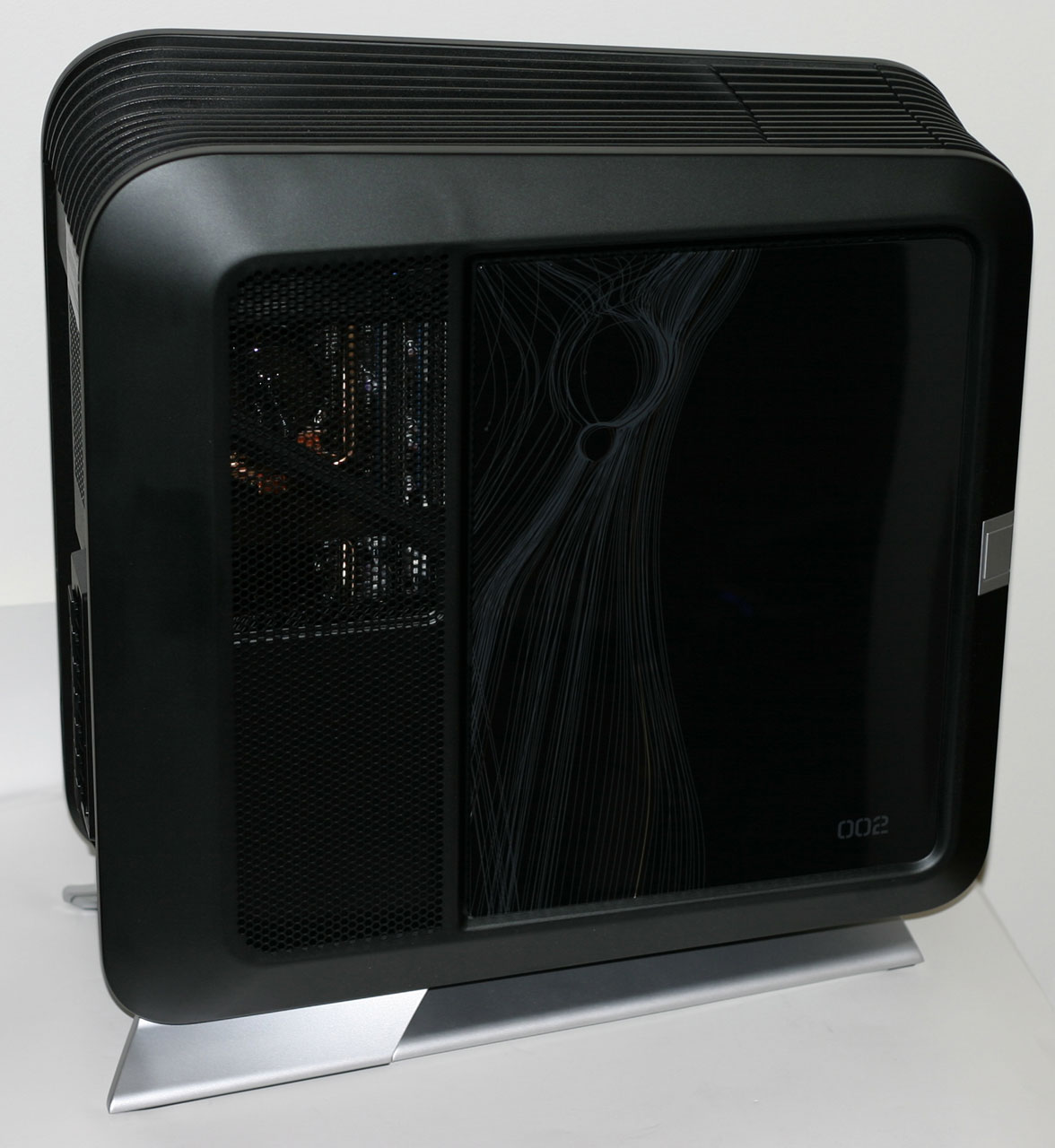
| Origin Genesis (2013) Specifications | |
| Chassis | Corsair Obsidian 800D |
| Processor | Intel Core i7-3970X (6x3.5GHz + HTT, Turbo to 4.0GHz, 4.9GHz Overclock, 32nm, 15MB L3, 150W) |
| Motherboard | Intel DX79SR(X79 Chipset) |
| Memory | 4x4GB Corsair Vengeance DDR3-1866 (expandable to 64GB) |
| Graphics | 3x NVIDIA GeForce GTX Titan 6GB in SLI 3x (2688 CUDA cores, 837/6008MHz core/RAM, 952/6208MHz Overclock, 384-bit memory bus) |
| Storage | 2x Corsair Neutron GTX 120GB SATA 6Gbps SSD (LAMD), RAID-0 Western Digital Caviar Black 1TB 7200-RPM SATA HDD |
| Optical Drive(s) | Hitachi-LG 14x BD Burner |
| Power Supply | Corsair AX1200i |
| Networking | 2x Intel 82579L Gigabit Ethernet |
| Audio | Realtek ALC892 Speaker, mic/line-in, surround jacks, optical out for 7.1 sound |
| Front Side | Optical drive 40-In-1 Media Card Reader 2x USB 2.0 2x USB 3.0 IEEE 1394a Headphone and mic jacks 4-channel fan controller Koolance RP-401X2 Reservoir |
| Top | - |
| Back Side | 4x USB 3.0 6x USB 2.0 Optical out IEEE 1394a 2x Ethernet Speaker, mic/line-in, surround, and optical jacks 6x DVI-D (3x GTX Titan) 3x HDMI (3x GTX Titan) 2x DisplayPort (3x GTX Titan) |
| Operating System | Windows 7 Ultimate 64-bit SP1 |
| Dimensions | 24" x 9" x 24" (609.6mm x 228.6mm x 609.6mm) |
| Extras | Card reader Custom liquid-cooling loop, CPU & GPU Custom LED lighting 80 Plus Platinum PSU |
| Warranty | 1-year parts, 45 days shipping, lifetime labor and 24/7 support |
| Pricing | As configured: $8,499 (+$479 paint job) |
Click
Tuesday, April 23, 2013
Origin Genesis Review: Triple Titan Terror
Thursday, September 29, 2011
HP Compaq 8200 Elite Ultra-Slim: The Littlest Desktop
If you've been following along for a while, it should be pretty clear that around here, we're fans of doing a little computing. Awkward turns of phrase notwithstanding, we thought we'd seen the smallest HP had to offer when we tackled the Z210 SFF desktop not too long ago. But we were wrong, and today we present you with the smallest desktop computer in HP's enterprise lineup. Wearing its power supply on the outside, meet the HP Compaq 8200 Elite Ultra-Slim.
HP offers several pre-configured variants of the 8200 Elite Ultra-Slim, and they shipped us the top XZ788UT model. They also have custom-build options available, with a much larger selection of parts on tap. Here's what we received in our review sample.
| HP Compaq 8200 Elite Ultra-Slim Specifications | |
| Chassis | HP Custom |
| Processor | Intel Core i5-2500S (4x2.7GHz, 32nm, 8MB L3, turbo to 3.7GHz, 65W) |
| Motherboard | HP Proprietary Motherboard with Q67 chipset |
| Memory | 1x4GB Samsung DDR3-1333 SO-DIMM (expandable to 16GB) |
| Graphics | Intel HD Graphics 2000 (6 EUs, 850-1100MHz) |
| Hard Drive(s) | Western Digital Scorpio Black 250GB 7200-RPM 2.5" SATA 3Gbps HDD |
| Optical Drive(s) | HP DVD+/-RW Combo Drive |
| Networking | Intel 82579LM Gigabit Ethernet Intel Centrino Advanced-N 6205 802.11a/b/g/n |
| Audio | Realtek ALC662 HD Audio Speaker, mic/line-in jacks for stereo sound |
| Front Side | 4x USB 2.0 Headphone and mic jacks Optical drive Card reader |
| Top | - |
| Back Side | Speaker, mic/line-in 2x PS/2 6x USB 2.0 1x Ethernet 1x DisplayPort VGA AC adaptor |
| Operating System | Windows 7 Professional 64-bit SP1 |
| Dimensions | 9.9" x 10" x 2.6" (WxDxH), 6.8 lbs. 251 x 254 x 66 mm, 3.1 kg |
| Extras | SD Card Reader 87% Efficient PSU with active PFC |
| Warranty | 3-year parts, labor, and onsite service |
| Pricing | MSRP starts at $679; review configuration at $914 Available online starting at $770 |
Moving to the CPU, the Intel Core i5-2500S is no slouch. Rated for a TDP of 65 watts instead of 95, it still manages to boast the same impressive top turbo core speed as its non-S-series counterpart. Other options range from basic Pentium CPUs all the way up to the i7-2600S. HP backs the CPU up with two SO-DIMM slots (and no ECC support), one of which is occupied in our review unit by a 4GB DDR3-1333 DIMM.
Keeping up with the "notebook in a desktop shell" motif is the 2.5" Western Digital Scorpio Black 7200-RPM mechanical hard drive and a slimline DVD+/-RW drive. (Note that SSDs are available in the custom configurator if desired.) HP also includes integrated wireless in the form of the Intel Centrino Advanced-N 6205 wireless chipset, which supports 802.11a/b/g/n connectivity. The 87% efficient PSU is an external power brick rated for 135 watts, more than enough to support this configuration.
None of the specs are going to set the world on fire, but being a business class system there are a few other extras we need to discuss. The major selling point for systems such as this is the warranty and support. The HP Compaq Elite 8200 comes standard with a 3-year onsite warranty, and in our experience business class systems are built and supported better than consumer offerings. Remember also that while HP is talking about selling off their consumer PC division, they want to keep the (more lucrative) business and enterprise lines.
Wednesday, April 6, 2011
Puget Systems Deluge Mini: The Art of Custom
| Puget Systems Deluge Mini Specifications | |
| Chassis | Antec Mini P180 (Customized) |
| Processor | Intel Core i5-2500K @ 4.5GHz (spec: 4x3.3GHz, 32nm, 6MB L3, 95W) |
| Motherboard | ASUS P8P67-M Pro Motherboard with P67 chipset |
| Memory | 2x4GB Kingston DDR3-1333 @ 1333MHz (expandable to 16GB) |
| Graphics | 2x EVGA GeForce GTX 560 Ti 1GB GDDR5 (384 CUDA Cores, 850/1700/1025MHz Core/ShadersRAM, 256-bit memory bus) |
| Hard Drive(s) | Western Digital Caviar Black 1TB SATA 6Gbps HDD |
| Optical Drive(s) | Lite-On BD-ROM/DVD+-RW Combo Drive |
| Networking | Realtek PCIe Gigabit Ethernet |
| Audio | Realtek ALC892 HD Audio Speaker, mic, line-in, and surround jacks for 7.1 sound Optical out |
| Front Side | Card reader 2x USB 2.0 eSATA Headphone and mic jacks Optical drive |
| Top | - |
| Back Side | 2x PS/2 2x USB 3.0 Optical out 6x USB 2.0 eSATA Ethernet Speaker, mic, line-in, and surround jacks for 7.1 sound |
| Operating System | Windows 7 Home Premium 64-bit |
| Dimensions | 8.3" x 17.2" x 17.1" (WxDxH) |
| Weight | 20.9 lbs (case only) |
| Extras | Antec TP-650 650W Power Supply Asetek Liquid Cooling Case Modification Card Reader |
| Warranty | 1-year limited parts warranty and lifetime labor and phone support. 2- and 3-year extended warranties available. |
| Pricing | Deluge Mini starts at $1,549 Review system configured at $2,257 |
Sunday, March 28, 2010
Windows 7: Release Candidate 1 Preview
Windows 7: Release Candidate 1
When we wrote our Windows Vista Performance Guide, we were left wondering about Microsoft’s ability to sell Vista to a community of users well entrenched with Windows XP
Among those that won't become switchers, Microsoft's own worst enemy is itself, as it needs to prove that Vista is a worthwhile upgrade to XP when XP is already so refined. For many users in the consumer space, Vista is simply a version of Windows where (to borrow a quote from Field of Dreams) "If you build it, they will come." These people will get Vista on their new computers and they'll like it because it is good, but having never had the chance to decide if they didn't want it.
Now two and a quarter years later we can see the outcome of that. It’s not favorable to Microsoft.
While Vista’s adoption has not been a failure, it hasn’t necessarily been a success story either. Microsoft’s own worst enemy was XP, and the users complacent with it have been in no big rush to upgrade. The primary vehicle for moving Vista has been new computers, and even that has taken a hit in the kneecaps with the sudden rise of netbooks, which fit poorly with an OS that was made for newer, faster computers.
Further complicating matters is that the quality of Vista wasn’t particularly stellar at launch. We’ve already covered this with our Vista SP1 article, so we won’t completely rehash this, but specific performance problems such as file copies (local and networked) and Vista’s hunger for virtual address space quickly made themselves evident. Netbooks drove this point home even harder –Vista doesn’t do so well with so little RAM.
Finally, Apple deserves a great deal of credit here for driving the stake into the public opinion of Vista. The extremely popular Get a Mac campaign took the dissent from above and managed to amplify it and sew it into the public at large. Apple made it popular to hate Vista, and Microsoft did too little too late on the marketing front to counter that. Never underestimate the power of marketing – many people can tell you they don’t like Vista, few can tell you why. That’s marketing.
Even though many of the technical problems were fixed before or at the launch of Vista SP1, by then it was too late. The public had become permanently dissatisfied with Vista. Regardless of the quality of the OS these days, the Vista name has become poisonous.
Of course as far as consumer sales are concerned, this hasn’t significantly dented Vista adoption. Vista’s still going out on virtually every new consumer-level computer shipped. People may be dissatisfied, but so far they’re not doing anything about it other than complaining. Business users on the other hand are acting, or rather are not acting. They’re not upgrading to Vista on existing computers, and on new computers they’re still installing XP. Vista’s not taking at the corporate level, and that’s Microsoft’s more immediate problem.
So here we are today with Windows 7 Release Candidate 1, Microsoft's grand attempt at taking Vista and building a more palatable operating system out of it. With Windows 7, Microsoft has ripped the Vista playbook to shreds and they are going an entirely different route. The goal: make Windows 7 successful before it even ships.
Monday, September 21, 2009
Digital Storm Core i7-965
Introduction
Digital Storm was a new name to us when they first called to offer a gaming system for review. They carry a number of different systems, and pride themselves on "performance, support, and value". Today we're looking at a no-holds-barred, top of the line system: an overclocked Core i7-965 with water-cooling and triple-SLI NVIDIA GeForce GTX 285 GPUs. First, we'll look at the company, the website and ordering process, and the system and components; then we'll jump into our performance review of the Core i7-965 system.
Digital Storm - Overview
We didn't know much about Digital Storm's history, so we asked them for a brief PR blurb, excerpted in part below.
Digital Storm was founded in San Jose, CA in 2001 and has been in the computer gaming industry for nearly 9 years. In that time we have come to be regarded as a system integrator that builds bleeding-edge: fast, stable, and highly customized gaming systems backed up with a passionate staff that stands behind their product. We are also the only computer gaming company with an "A+" rating from the BBB. This rating reflects our company's dedication to taking care of our customers. Our company has adopted a simple theory: put yourself in the customers shoes. Every decision we make reflects this anthem.
Also, as previously stated, their "About Us" page claims they operate by providing performance, support, and value. We'll look at each claim in turn and examine how they rate.
Monday, October 15, 2007
HP Blackbird 002 Revisited
Thursday, September 27, 2007
HP Blackbird 002: Back in Black
Whether it's cars, aircrafts, houses, motorcycles, or computers people always seem to like hearing about the most exotic products on the planet. HP's latest and greatest desktop computer offering bears the name of one of the most mystical aircrafts of all time, the SR-71 Blackbird. We can't say for sure whether the choice of name actually comes from the famous surveillance aircraft or not, but we would venture to say this is the case. See, besides the name, the two have quite a few other common attributes.The SR-71 Blackbird was on the cutting edge of technology, pushing the boundaries of what was deemed achievable. It was the first aircraft that was designed to reduce its radar signature, and while it would fail in this respect it helped pave the way for future stealth aircraft. Perhaps more notably, the Blackbird was the fastest aircraft ever produced, officially reaching speeds of Mach 3.2 and unofficially reaching even higher. The actual top speed remains classified to this day. The extremely high speeds required some serious out of box thinking to achieve, so the Blackbird was built from flexible panels that actually fit loosely together at normal temperatures; only after the aircraft heated up from air friction would the panels fit snugly, and in fact the SR-71 would leak fuel while sitting on the runway before takeoff. After landing, the surface of the jet was so hot (above 300°C) that maintenance crews had to leave it alone for several hours to allow it to cool down.
So how does all of that relate to the HP Blackbird 002? In terms of components and design, the Blackbird is definitely on the cutting edge of design and technology, and it features several new "firsts" in computers. When we consider that the Blackbird comes from a large OEM that doesn't have a reputation for producing such designs, it makes some of these firsts even more remarkable. Talking about the temperatures that the SR-71 reached during flight was intentional, because the Blackbird 002 can put out a lot of heat. No, you won't need to let it cool down for several hours after running it, but the 1100W power supply is definitely put to good use. If electricity is the fuel of the 002, saying that it leaks fuel while sitting idle definitely wouldn't be an overstatement. And last but not least, the Blackbird 002 is fast - extremely fast - easily ranking among the best when it comes to prebuilt desktop computers.
Where did all of this come from? We are after all talking about HP, a company that has been in the computer business for decades, and during all that time they have never released anything quite like this. Flash back to about a year ago, when HP acquired VoodooPC, a boutique computer vendor known for producing extremely high-performance computers with exotic paint jobs and case designs - with an equally exotic price. The HP Blackbird 002 represents the first fruits of this merger, and while it may not be quite as exotic as the old VoodooPC offerings in all respects, it certainly blazes new trails in the world of OEM computers. There's clearly a passion for computer technology behind the design, and even if we might not personally be interested in purchasing such a computer, we can certainly appreciate all the effort that has gone into creating this latest "muscle car" - or pseudo-stealth aircraft, if you prefer.
Saturday, September 8, 2007
Gateway FX530: Mad Cows and Quad Core Overclocking
A Messy Transition (Part 3): Vista Buys Some Time
As we saw in part 1 of this series, large applications and games under Windows are getting incredibly close to hitting the 2GB barrier, the amount of virtual address space a traditional Win32 (32-bit) application can access. Once applications begin to hit these barriers, many of them will start acting up and/or crashing in unpredictable ways which makes resolving the problem even harder. Developers can work around these issues, but none of these except for building less resource intensive games or switching to 64-bit will properly solve the problem without creating other serious issues.
Furthermore, as we saw in part 2, games are consuming greater amounts of address space under Windows Vista than Windows XP. This makes Vista less suitable for use with games when at the same time it will be the version of Windows that will see the computing industry through the transition to 64-bit operating systems becoming the new standard. Microsoft knew about the problem, but up until now we were unable to get further details on what was going on and why. As of today that has changed.
Microsoft has published knowledge base article 940105 on the matter, and with it has finalized a patch to reduce the high virtual address space usage of games under Vista. From this and our own developer sources, we can piece together the problem that was causing the high virtual address space issues under Vista.
As it turns out, our initial guess about the issue being related to memory allocations being limited to the 2GB of user space for security reasons was wrong, the issue is simpler than that. One of the features of the Windows Vista Display Driver Model (WDDM) is that video memory is no longer a limited-sharing resource that applications will often take complete sovereign control of; instead the WDDM offers virtualization of video memory so that all applications can use what they think is video memory without needing to actually care about what else is using it - in effect removing much of the work of video memory management from the application. From both a developer's and user's perspective this is great as it makes game/application development easier and multiple 3D accelerated applications get along better, but it came with a cost.
All of that virtualization requires address space to work with; Vista uses an application's 2GB user allocation of virtual address space for this purpose, scaling the amount of address space consumed by the WDDM with the amount of video memory actually used. This feature is ahead of its time however as games and applications written to the DirectX 9 and earlier standards didn't have the WDDM to take care of their memory management, so applications did it themselves. This required the application to also allocate some virtual address space to its management tasks, which is fine under XP.
However under Vista this results in the application and the WDDM effectively playing a game of chicken: both are consuming virtual address space out of the same 2GB pool and neither is aware of the other doing the exact same thing. Amusingly, given a big enough card (such as a 1GB Radeon X2900XT), it's theoretically possible to consume all 2GB of virtual address space under Vista with just the WDDM and the application each trying to manage the video memory, which would leave no further virtual address space for anything else the application needs to do. In practice, both the virtual address space allocations for the WDDM and the application video memory manager attempt to grow as needed, and ultimately crash the application as each starts passing 500MB+ of allocated virtual address space.
This obviously needed to be fixed, and for a multitude of reasons (such as Vista & XP application compatibility) such a fix needed to be handled by the operating system. That fix is KB940105, which is a change to how the WDDM handles its video memory management. Now the WDDM will not default to using its full memory management capabilities, and more importantly it will not be consuming virtual address space unless specifically told to by the application. This will significantly reduce the virtual address space usage of an application when video memory is the culprit, but at best it will only bring Vista down to the kind of virtual address space usage of XP.
Wednesday, September 5, 2007
A New Kind of Home Computer: Windows Home Server Preview
If we had to sum up Windows Home Server in one word that word would be "strange." Even having gone gold and shipped to system builders and distributors, Microsoft has been strangely quiet about a product they're targeting for the consumer space - we still don't know quite when it will be for sale or at what price. The fact that it's even for sale unbundled with hardware, albeit only as OEM software, is itself strange as this was originally slated to be only sold as part of complete computers from the usual suspects among the computer vendors. Finally, as we'll see even as a product it's strange, and difficult to really come to terms with.
So what is Windows Home Server (WHS)? The name says it all and at the same time says nothing. At its core it's a server operating system designed for use in the home, a place that previously has not needed or been offered anything like a true server. That means that WHS really doesn't compare to any one thing; it's a backup suite, it's a file server, it's a network attached storage(NAS) device, it's a web server, it's a media hub, it's a computer health monitor, it's even a gateway for Window's Remote Desktop. In even trying to describe the product, we run into the same problem Microsoft does; it's one thing to describe a product as "X but better" but it's another thing entirely when we don't have anything to serve as a comparison.
Perhaps the easiest way to understand what WHS is, is understanding why it exists. Microsoft, never one to shy away from finding a way to sell another computer, has come to the conclusion that with the saturation of full computers and smaller smart devices in homes (where some households are reaching the point where they have two computers per person) that the time has come where not unlike a corporate environment households now need a server to keep everything in order.
But home users don't need the same kind of server that business users need. Home users won't be running or need to be running their own SQL server or email server, but what about centralizing the location of everyone's media files? Or a web server for letting the relatives see all your photos? Or a backup suite that actually backs files up somewhere else than to the hard drive of the machine in question? And how about something that doesn't require an MSCE degree to run? Over the last two years Microsoft has been once again retrofitting the Windows Server 2003 kernel (previously refit to serve as Windows XP Pro x64) to be the new server that can do all of the above.
The result of those two years of effort is a very interesting product that we'd consider the most interesting Windows product to come out of Microsoft since Windows 2000, and yet at the same time it comes with the quirks that are undeniably Microsoft. As we'll see WHS can offer a lot of value to the market Microsoft is shooting for, but can it overcome the difficulties of forging a new market, and fighting against its own deficiencies? Let's take a look under the hood of Windows Home Server and find out the answe