Click

Showing posts with label Mobile. Show all posts

Wednesday, May 27, 2015

The ASUS Zenfone 2 Review

When I think about ASUS, the first thing that comes to mind are their PC components like motherboards, GPUs and the like. I also think of their desktop and laptop computers. Part of that is probably due to my longstanding interest in PCs and PC gaming, but even so, the idea of ASUS as a smartphone company is one that I don't think about that often. However, ASUS has been offering smartphones since the days of Windows Mobile, and they've been a very important player in the Android tablet space with their transformer tablets and both generations of the Nexus 7. With smartphone + tablet hybrids like the ASUS PadFone, it was seemingly inevitable that ASUS would become a competitor in the world of discrete Android smartphones.
While ASUS has been making progress in the Asia-Pacific region, they haven't made as much progress in North American markets as I suspect they had hoped to. That brings us to today with the ZenFone 2. After initially going on sale in ASUS's home country of Taiwan on March 8th, and more recently in Japan and India, the ZenFone 2 has now made its way to the shores of countries around the globe. As a phone that marks a new generation of ZenFone devices from ASUS, the ZenFone 2 represents another chance for ASUS to break into the markets of Western Europe and North America.
Although the ZenFone 2 is a second generation ZenFone, the device it most directly succeeds is the ZenFone 5. The naming may seem strange, but it's due to ASUS moving away from their original naming scheme where the number represented the size of the display. That type of naming doesn't scale well when you need to refresh your devices every year, and so the 2 in ZenFone 2 designates it as a second generation ZenFone.
Although the ZenFone 2 starts at just $199, you shouldn't be deceived by the price. The ZenFone 2 has some extremely impressive specifications for a low-cost smartphone, launching with a fairly powerful Intel quad-core Atom SoC, 2GB+ of RAM, and a 5.5" 1080p IPS screen. We'll be taking a look at each of its components in depth over the course of the review, but you can take a look at an overview of the ZenFone 2's specs below.
 ASUS ZenFone 2 (Base)ASUS ZenFone 2 (High-End)
SoCIntel Atom Moorefield Z3560
4x Silvermont @ 1.8GHz
Intel Atom Moorefield Z3580
4x Silvermont @ 2.33GHz
GPUPowerVR G6430 @ 533MHz
RAM2GB LPDDR34GB LPDDR3
NAND16GB + microSDXC64GB + microSDXC
Display5.5" 1920x1080 IPS LCD
Dimensions77.2 x 152.5 x 10.9 mm, 170g
Camera13MP Rear Facing with F/2.0 aperture
5MP Front Facing with F/2.0 aperture
Battery3000mAh (11.4Wh)
OSAndroid 5.0 Lollipop with ASUS Zen UI
Cellular Connectivity2G / 3G / 4G LTE (Intel XMM7262 Category 6 LTE)
Second SIM 2G GSM (Intel XMM2230)
Other Connectivity802.11a/b/g/n/ac + BT 4.0, GNSS, NFC, microUSB2.0
SIMDual MicroSIM slots
Price$199$299
Due to the large variations in the frequencies and technologies used in networks worldwide, ASUS has five different SKUs of the ZenFone 2. Four of the models are for FDD-LTE networks, while the fifth is for TDD-LTE in China and India.
Although it's not listed on their global website, the North American version of the ZenFone 2 has support for the AWS band on UMTS networks. ASUS was unaware of this when I contacted them about it. However, I have been able to use the phone on WIND mobile, which is a Canadian carrier that only operates their HSPA network on the AWS band. ASUS has also updated their Canadian and US websites to reflect the support for AWS since the time that I contacted them about it.

Design

In recent history, ASUS has adopted a form of industrial design that I consider to be very unique and recognizable. Many of their products are made out of machined aluminum, with a brushed finish that reflects light in a unique manner. This design extends to their products made of other materials like plastic, where the design often imitates the appearance and color of their aluminum devices. This type of design ties in well with the Zen branding across all of ASUS's product lines, as it's inspired by the lines and circles in the sand of Rock Gardens that were created by Zen Buddhists in fourteenth century Japan.
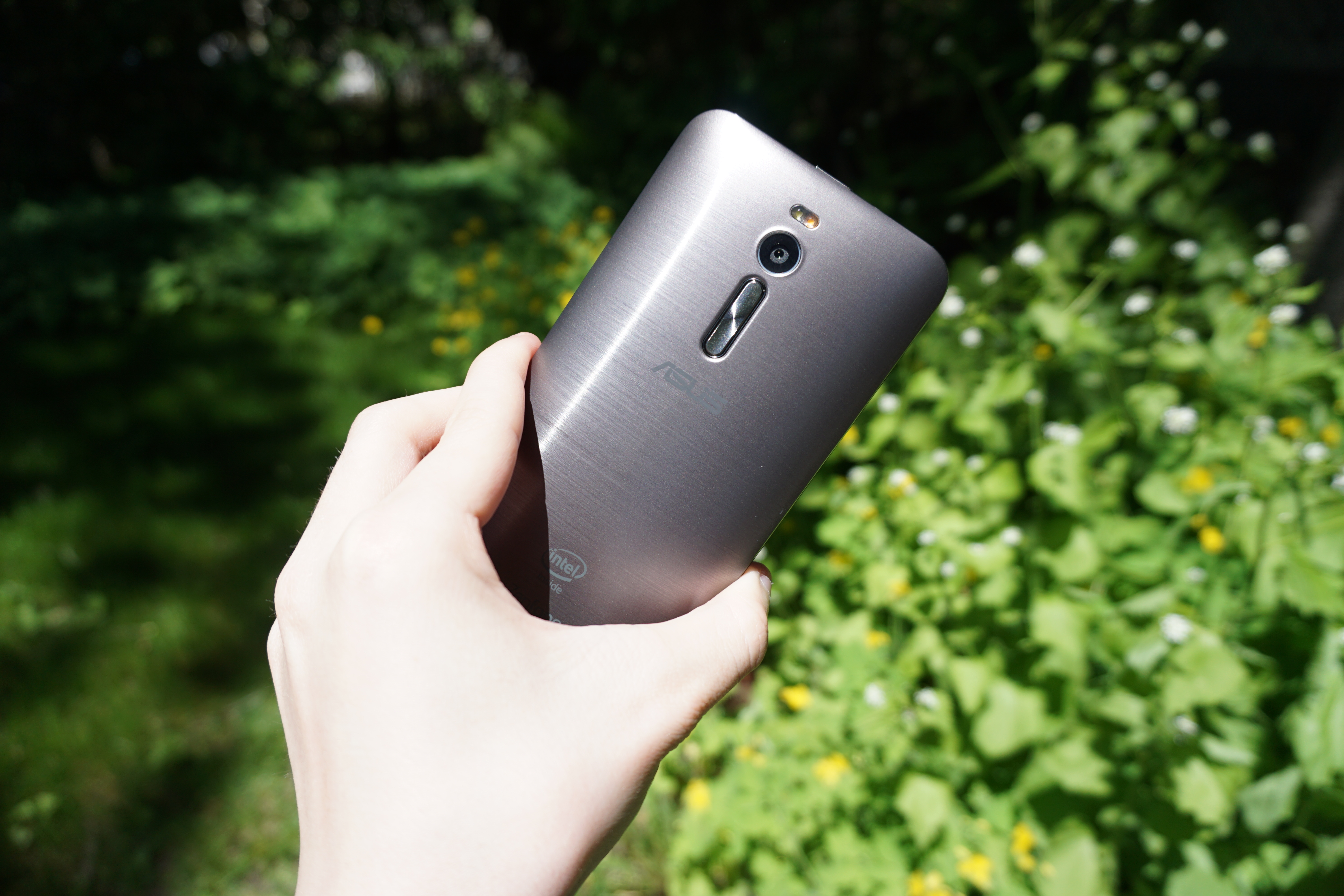
Owing to its removable back cover and very affordable design relative to its specs, the ZenFone 2 is primarily made of plastic. However, it does a very good job of looking like a device made of aluminum. It's difficult to expose in photos, but the back cover reflects light in a very similar manner to my ASUS Zenbook which is actually made of aluminum. The color on the grey model is also spot on as well, and using plastic allows ASUS to offer a variety of different colors and patterns. I personally would have preferred an aluminum build, but that's far too much to ask for when you consider everything else that ASUS is packing into a $199 device.
Although the back cover of the ZenFone 2 is removable, it actually has a very solid attachment to the phone. When removing it to access the MicroSD and two MicroSIM slots I was actually worried I might break one of the plastic tabs that holds it on. Since the battery isn't removable, I don't think users will be removing the back cover very often.
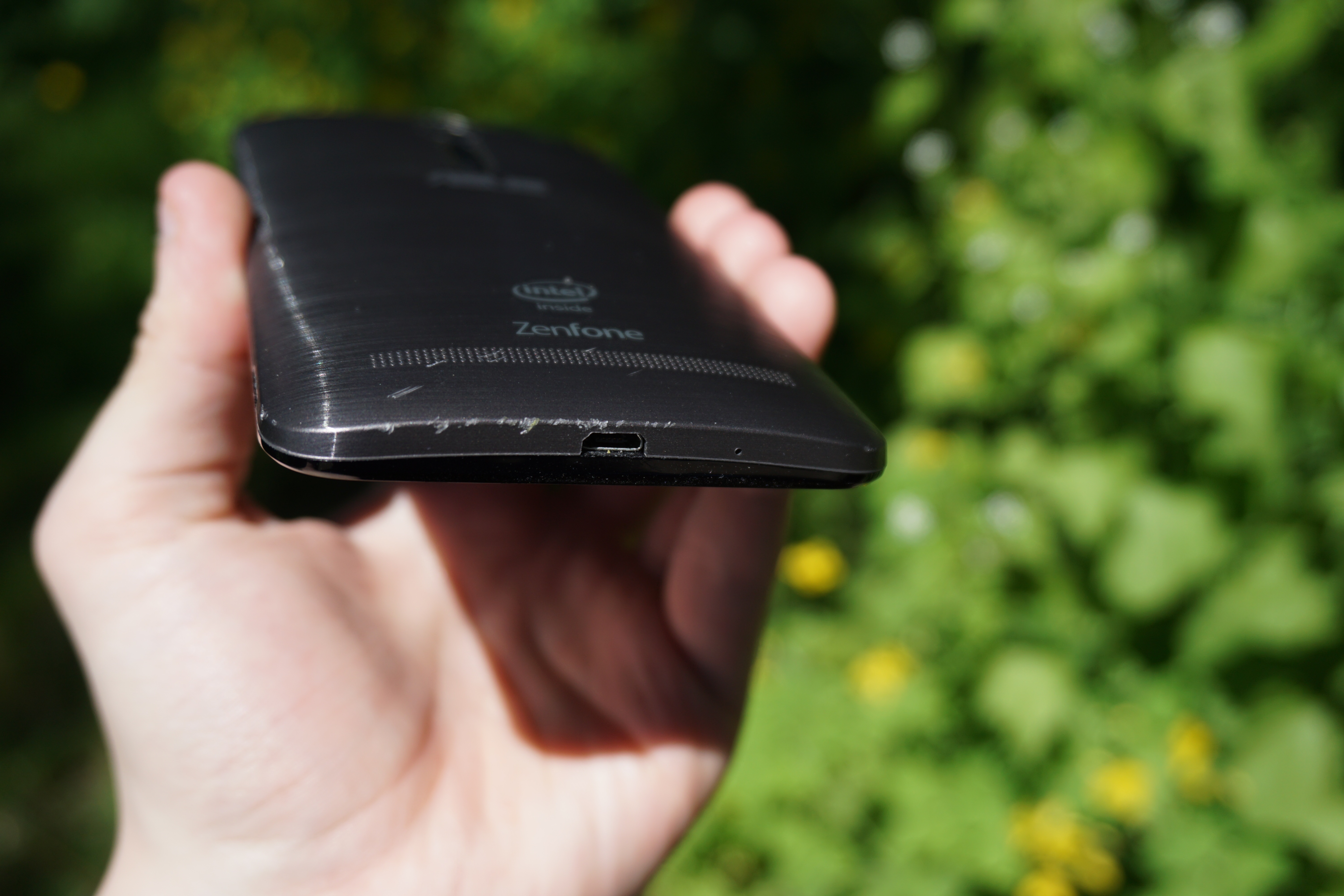
ZenFone 2 After One Unscheduled Drop
Unfortunately, while I think the plastic on the ZenFone 2 looks good, I can't speak very highly about its durability. When photographing the ZenFone 2, I accidentally dropped it from about half a foot high onto a concrete step. I'm usually very careful with my devices, but I lost my grip while trying to hold both my camera and the phone. Since it was such a small drop, I expected that the ZenFone 2 would be unscathed. As you can see above, I was mistaken. That small fall onto concrete heavily damaged the bottom edge of the back cover, and put some serious scuffs and scratches near the speaker holes. While it was completely my fault for dropping the phone, the lack of durability is pretty shocking. I would definitely recommend investing in a case, and all I can do is hope that ASUS starts selling the different back covers separately.
A consequence of the back cover also covering the sides of the device is that the power button on the phone actually comes off when you remove it. This is similar to the 2015 Moto E which has a removable outer frame with the plastic button caps attached to it. Unfortunately, the power button on the ZenFone 2 has absolutely no tactile response, and barely even feels like it's being pushed down. It's also located on the top of the phone, which makes it very difficult to press when trying to turn the phone on and off. Thankfully, ASUS supports double tapping on the display to wake up the phone, which eliminates around 50% of the times you would normally have to use the button.
Update: Some users have let me know in the comments that ASUS also supports double tapping to shut the screen off. This can definitely be helpful, but since you need to tap on a blank area you'll usually need to double tap on the status bar which can still be difficult to reach on such a large device. A side mounted power button definitely would have been most optimal, but the double tap to wake and shut off definitely mitigates the issue of having it on the top.
While the power button placement on the ZenFone 2 is questionable, I think ASUS has made a good call with their volume button placement. Much like the LG has been doing on their similarly sized devices, the ZenFone 2 places its volume rocker beneath the camera on the back of the phone. I have not heavily used any of LG's phones, and I was surprised at how quickly I adapted to having the volume buttons on the back. It's much more ergonomic than placing them on the left side on such a larger device, and it avoids the potential awkwardness of placing them on the right side. The volume rocker also has a circular spun finish much like ASUS's laptops, and I appreciate those types of very small details that ASUS could have easily left out but chose not to.
Overall I'm quite happy with the aesthetics and the feel of the ZenFone 2. Without holding it you could definitely be fooled into thinking it's made of aluminum, and when you do pick it up it still feels pretty good in the hand. I would be lying if I said I wasn't bitter about how easily the back got damaged though, and unless you're sure you'll never drop it I suggest getting a case or some other form of protection.

Tuesday, April 28, 2015

Google Unveils Project Fi: A Network for the Nexus 6

Today Google officially announced their previously rumored entry into the world of wireless service. This new endeavor is known as Project Fi, and it's exclusive to owners of the Nexus 6 who live in the United States. While carriers have offered branded mobile devices at times, the entry of a company making mobile phones into the business of providing the wireless service for their own devices is unprecedented. But unlike Google Fiber, Project Fi is not Google's attempt to build a new wireless network in the United States. Rather, they will be acting as a Mobile Virtual Network Operator (MVNO) running on the T-Mobile and Sprint networks, as well as piggybacking off of open WiFi hotspots.
On a typical carrier you will pay for some bucket of data alongside your calling minutes and texts, and if you don't use all that data during the month then it disappears. Some carriers like T-Mobile USA have played with this by allowing data to roll over to another month, much like how many prepaid carriers allow minutes to roll over to the next month if they are unused. But in general, you often end up paying for more data then you actually need to avoid overage charges. With Project Fi, Google starts plans at $20 per month for unlimited domestic calling and unlimited domestic + international texting. On top of that you can select how much data you believe you will need, with the cost being $10/GB.
The unique aspect of Project Fi when compared to other network operators is how Google is changing the situation with unused data. Rather than rolling it over or having it disappear, Google simply credits you for the difference. For example, a user who pays $30 for 3GB per month may only use 1.4GB that month. In that situation, Google will credit them $16 for the data they did not use. Effectively, this means that Google only charges users for the data they use, but not at the typically ridiculous rates for pay as you need data on other carriers. What I don't understand is why Google even has data tiers in the first place. Given the rounding, they might as well just charge $1 for every 100MB used, as any overages are charged as the same rate as the data in the plan itself.
Google is also taking much of the pain out of roaming in other nations. The data you purchase for your Project Fi plan is usable in 120 different countries, although it's limited to a speed of 256Kbps. Google's network also extends beyond cellular carriers, with Google's network configured to automatically utilize public hotspots as part of the network itself. WiFi calling is supported, and so the transition between cellular and WiFi should be seamless in theory. Google is also promising that information will be encrypted so that users can have their privacy preserved when using public WiFi.
The last really interesting part of Project Fi is how it will be able to integrate with Hangouts. Since your phone number "lives in the cloud", Google can push texts and phone calls to any devices that have the Google Hangouts application installed. This extends from your Nexus 6, to your Chromebook, to your iPad, to your Windows PC.
Project Fi is currently beginning as an early access program. Users who are interested and who own the Nexus 6 can check out Google's sign up page to apply to be one of the first users of this new network. Google's blog post in the source below has a bit more information as well as a video about this new project

Sunday, March 2, 2014

The iPhone 5s Review

For much of the iPhone's life Apple has enjoyed a first-mover advantage. At the launch of the first iPhone, Steve Jobs expected the device and OS would give it a multi-year head start over the competition. Indeed that's how the market played out. Although Android was met with some early success, it wasn't until well after the launch of the first Android devices that we started seeing broad, mainstream acceptance of the platform. The iPhone bought Apple time, and together with the iPad it brought Apple a tremendous amount of profit over the years. The trick of course is turning a first-mover advantage into an indefinitely dominant market position, a difficult task when you're only making one device a year.
Today we find Apple in a very different position. The iPhone is still loved by a very loyal customer base, but the competition is much stronger than it was back in 2007. The modern smartphone market has also evolved. When Apple introduced the original iPhone with its 3.5" display, Steve called it "giant" on stage. Today even HTC's One mini ships with a 4.3" display.
Last year we saw Apple begin to address the changing landscape with the iPhone 5. The 5 saw Apple moving to a thinner, lighter chassis with much better internals and a significantly larger display. While there is market demand for Apple to do the same again, and move to an even larger display, there are some traditions Apple is sticking to. In this case, it's the tradition of the S-update.
The iPhone 5s continues Apple’s tradition of introducing a performance focused upgrade for the last year of any new chassis design. The first time we encountered an S-update was with the 3GS, which took the iPhone away from its sluggish ARM11 roots and into the world of the Cortex A8.
The next S-upgrade came with the iPhone 4S: Apple’s first smartphone to use a dual-core SoC. At the time I remember debate over whether or not a performance upgrade alone was enough to sell a new device, especially one that didn’t look any different. I’m pretty much never happy with the performance I have, so I eagerly welcomed the new platform. Looking back at the iPhone 4 vs. 4S today, I’d say the investment was probably worth it. In preparation for this review I threw iOS 7 on every iPhone that would support it, dating back to the iPhone 4. In my experience, the 4 is a bit too slow running iOS 7 - the 4S really should be the minimum requirement from a performance standpoint.
That brings us to the iPhone 5s, the third in a list of S-upgrades to the iPhone platform. Like the S-devices that came before it, the iPhone 5s is left in the unfortunate position of not being able to significantly differentiate itself visually from its predecessor. This time around Apple has tried to make things a bit better by offering the 5s in new finishes. While the iPhone 5 launched in silver and black options, the 5s retains silver, replaces black with a new space grey and adds a third, gold finish.

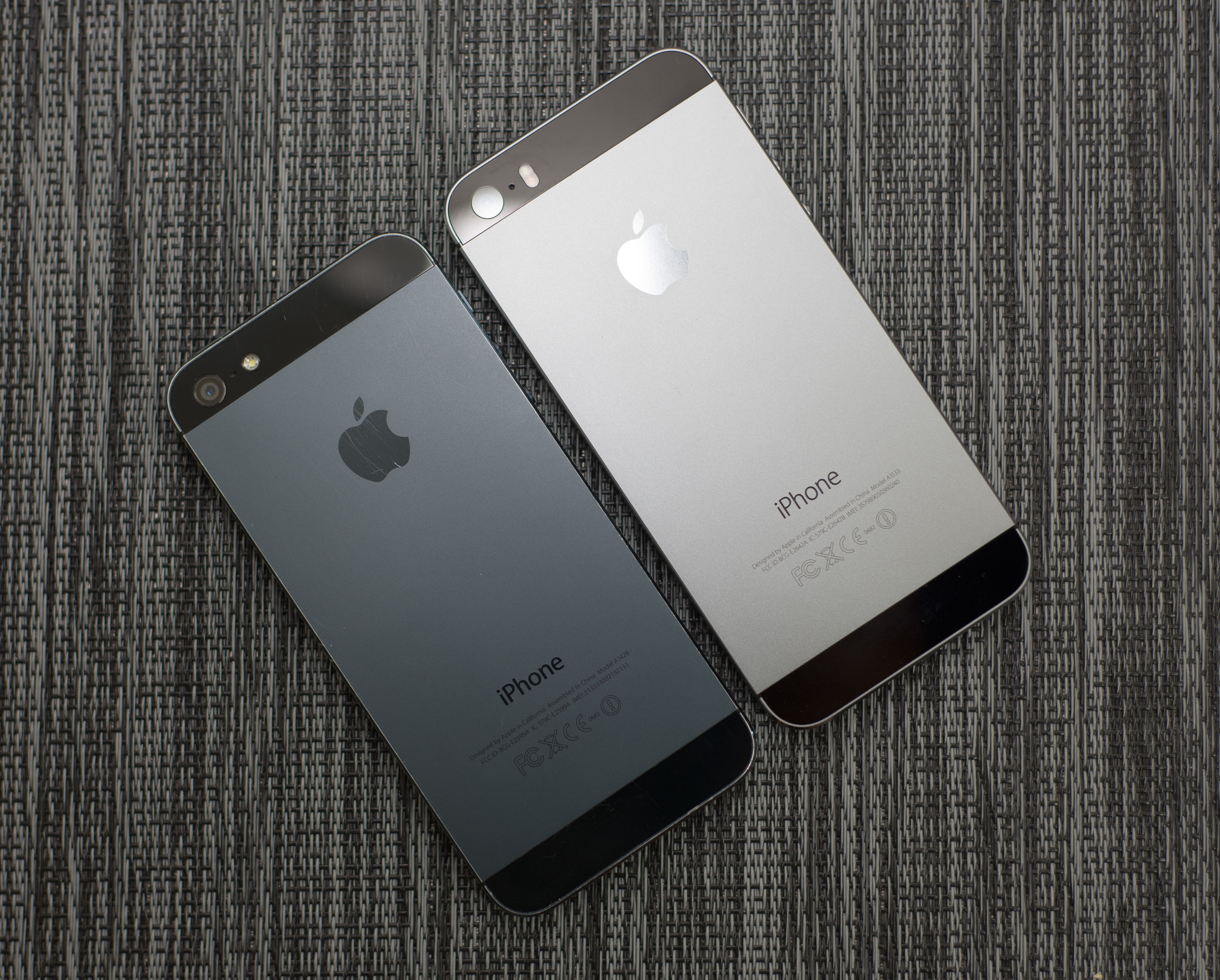
old black iPhone 5 (left) vs. new space grey iPhone 5s (right)
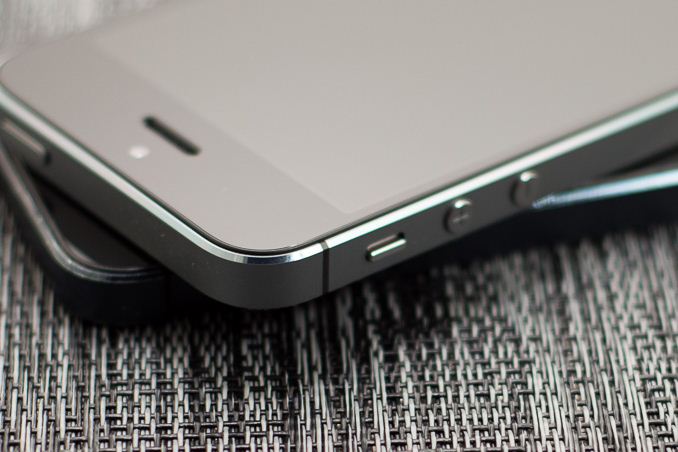
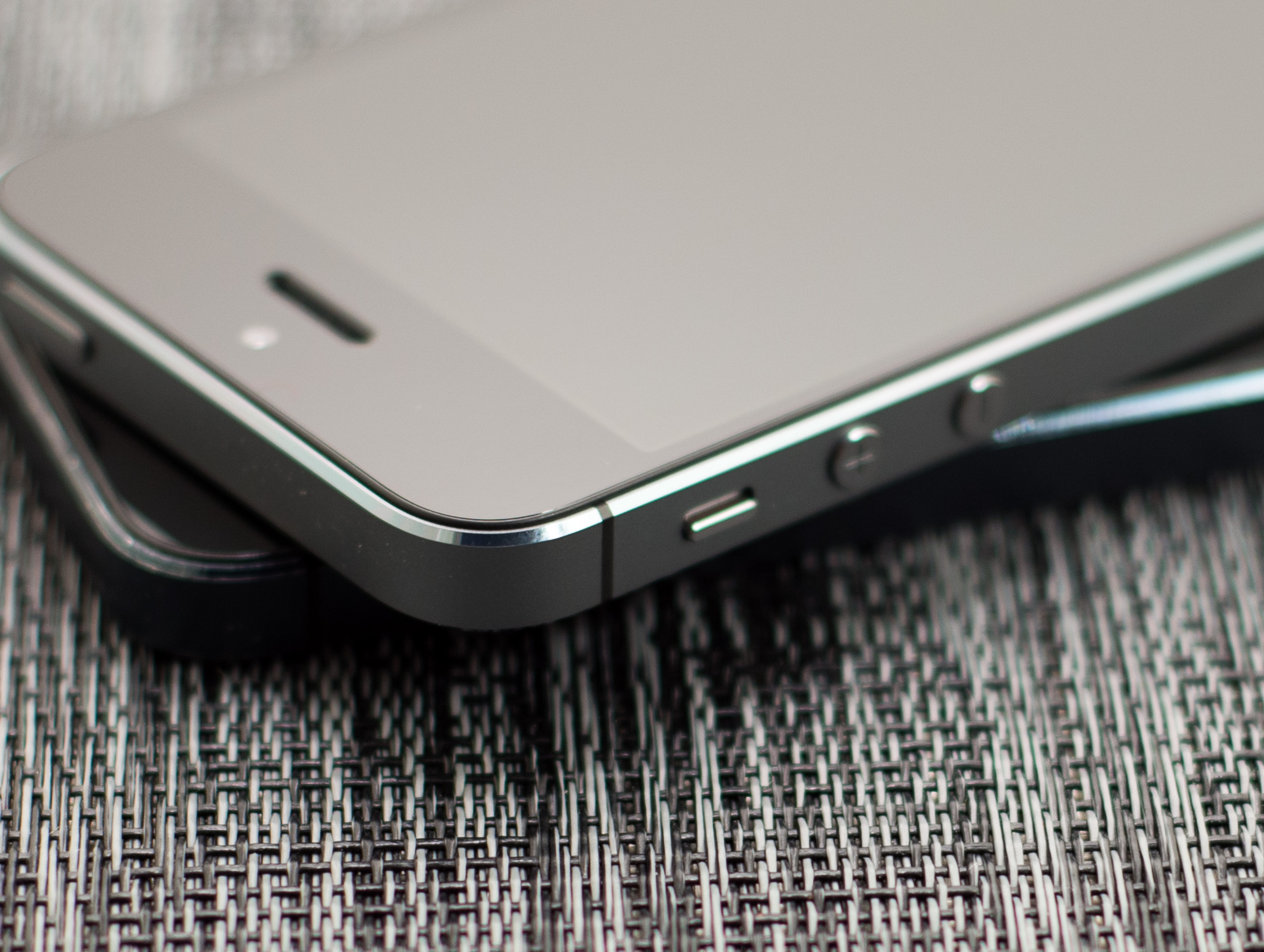
I was sampled a space grey iPhone 5s, which worked out well given my iPhone 5 was black. The new space grey finish is lighter in color (truly a grey rather than a black) and has more prominently colored chamfers. The move to a lighter color is likely to not only offer a little bit of visual differentiation, but also to minimize the appearance of scuffs/scratches on the device. My black iPhone 5 held up reasonably well considering I carry it without a case, but there’s no denying the fact that it looks aged. Interestingly enough, I never really got any scratches on the back of my 5 - it’s the chamfers that took the biggest beating. I have a feeling the new space grey finish will hold up a lot better in that regard as well.
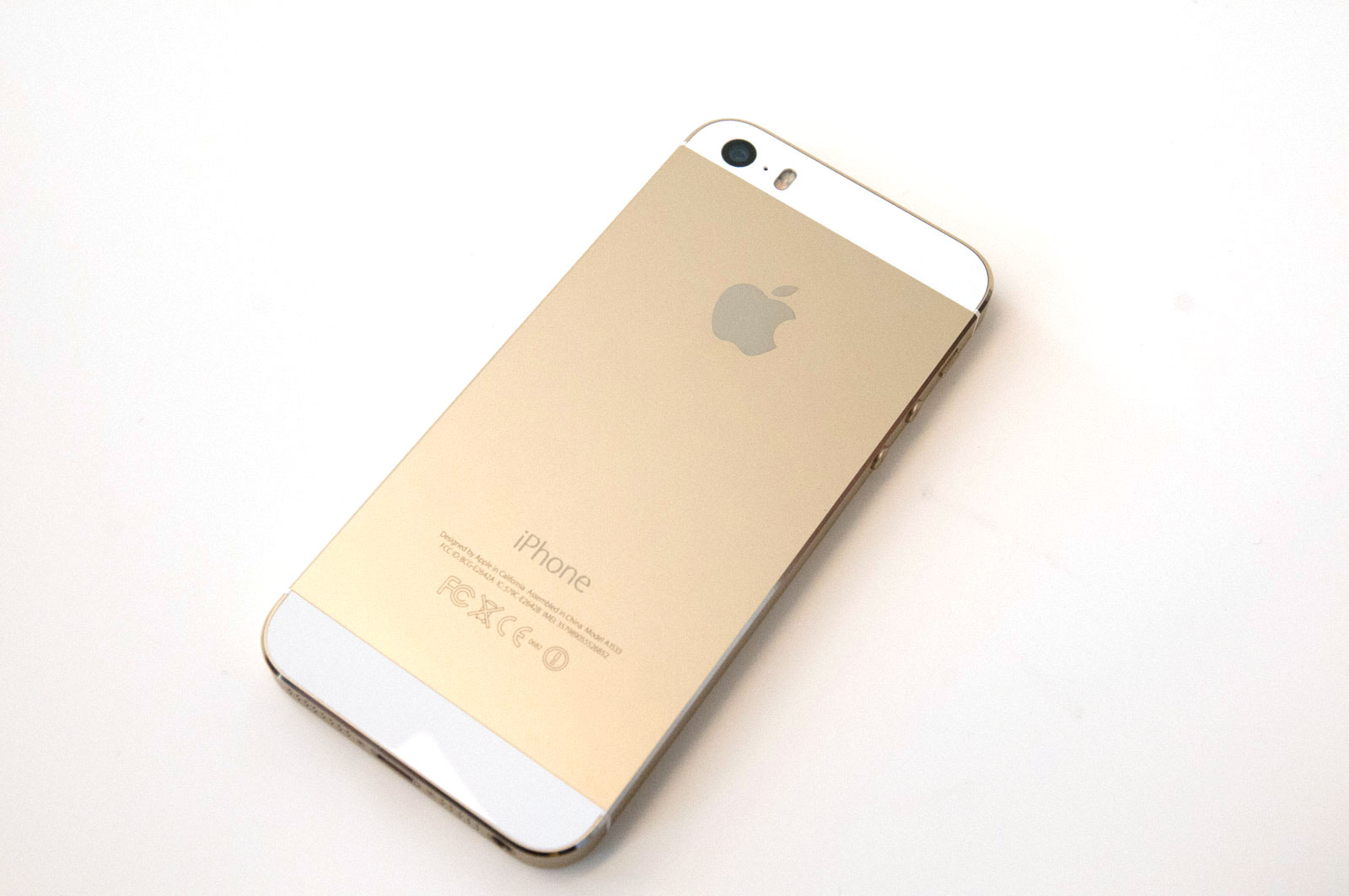
The addition of a gold option is an interesting choice. Brian and I saw the gold iPhone up close at Apple’s Town Hall event and it really doesn’t look bad at all. It’s a very subtle gold finish rather than a gaudy gold brick effect. I think gold is likely the phone I’d opt for simply because it’d be very different than everything else I have, but otherwise space grey is probably the best looking of the three devices to me.
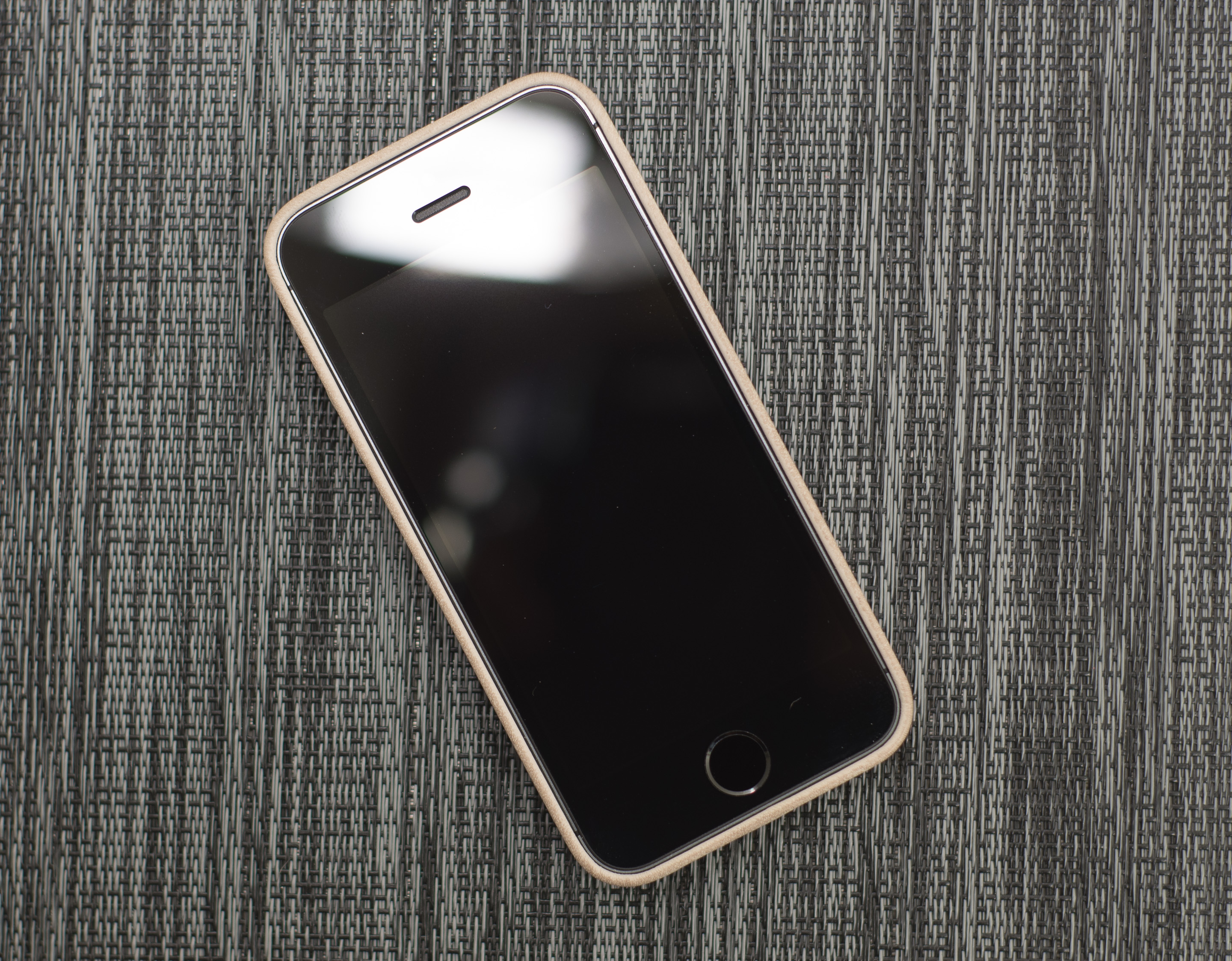
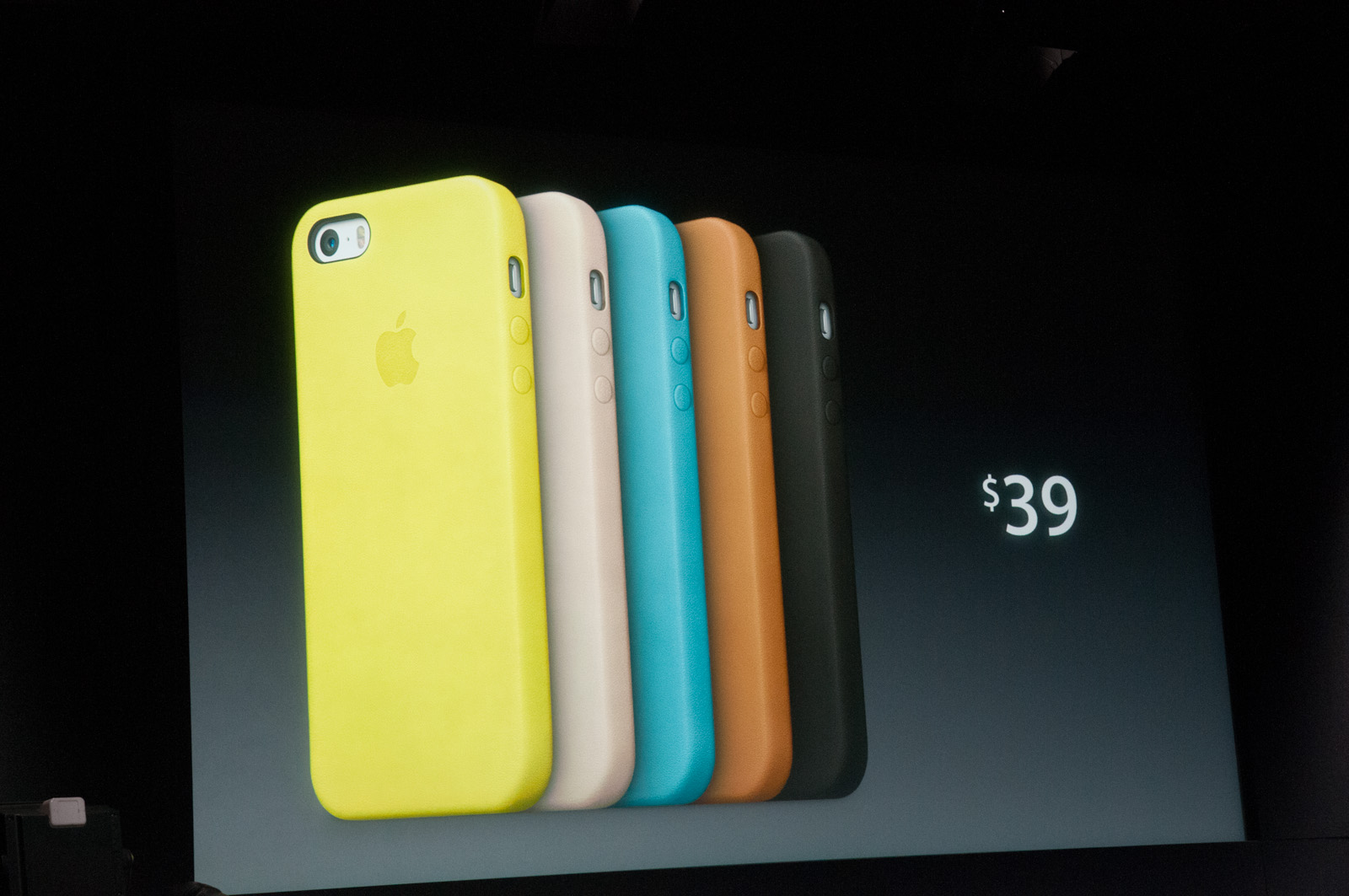
Along with the new finishes come new leather cases to protect the 5s. These cases are designed and sold by Apple, and they are backwards compatible with the iPhone 5 as well. Apple calls them leather cases but I'm not entirely sure if we're talking about real leather here or something synthetic. Either way, the new cases feel great. They've got a very smooth, soft texture to them, and are lined with a suede like material.
The new cases don't add a tremendous amount of bulk to the device either. The cases are available in 5 different colors and retail for $39:
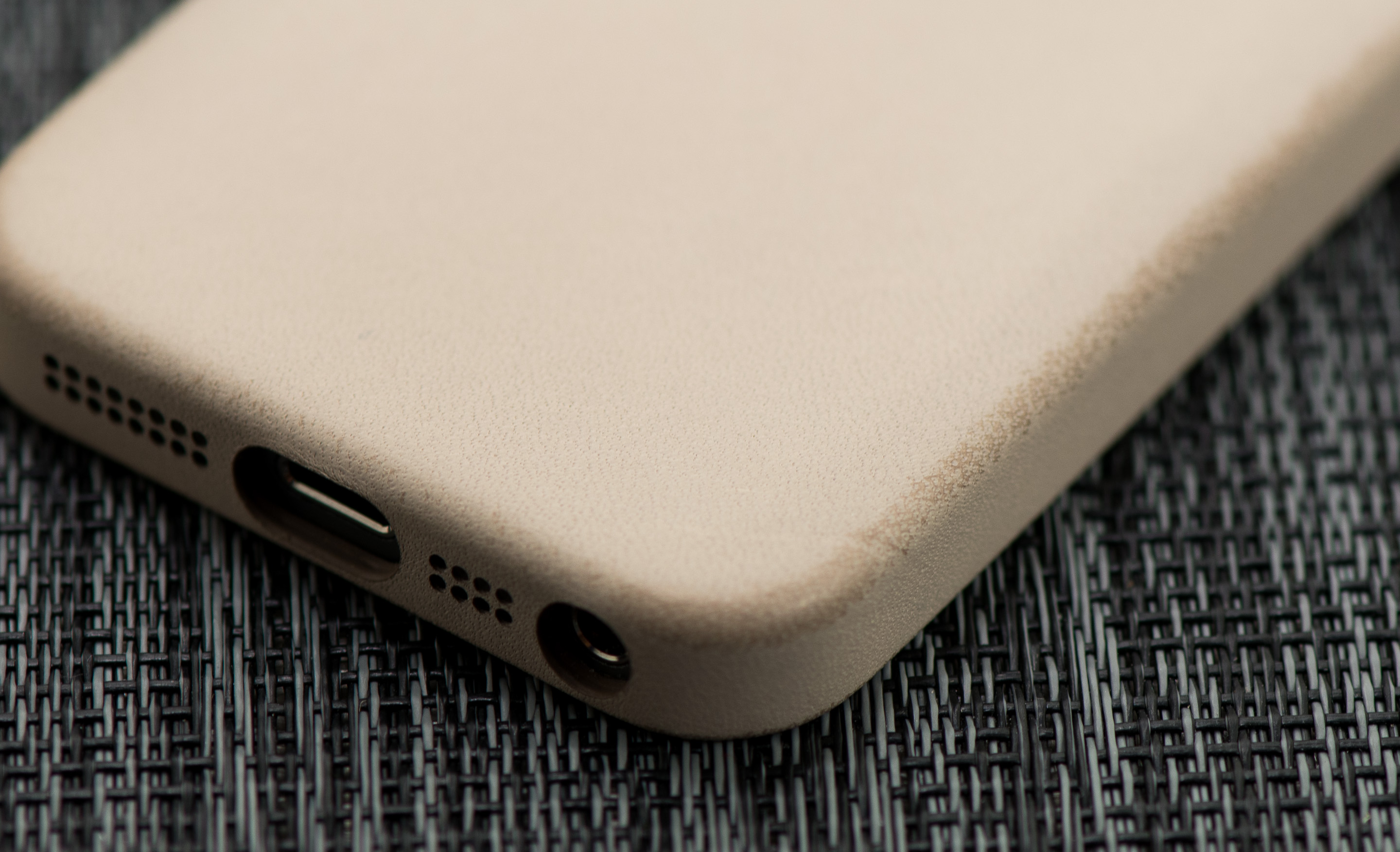
I was sampled a beige case and have been using it non-stop for the past week. I really like the case a lot and it did a great job protecting the 5s over the past week while I was traveling. I took all of the photos of the review device after I returned home from traveling, but thanks to the case the device still looked as good as new. If you're considering one of these cases you might want to opt for a darker color as the edges of my case started to wear from constantly pulling the phone out of my pockets:
If you're fine with the distressed leather look then it's not a concern, but if you're hoping to keep your case pristine you may want to look at other cases. If you want a more affordable & more rugged option, Brian turned me on to the Magpul Field case which should work perfectly with the iPhone 5s.
Since the 5s is an S-upgrade, the chassis remains unchanged compared to the iPhone 5. The 5s’ dimensions are identical to that of the iPhone 5, down to the last millimeter of size and gram of weight. Construction, build quality and in-hand feel continue to be excellent for the iPhone 5s. Despite the diet the iPhone went on last year, the 5/5s chassis is still substantial enough to feel like a quality product. I remember criticisms of the iPhone 5 at launch, saying that it felt too light. Now going back and holding an iPhone 4S, it feels like the very opposite is true - the 4S was too heavy
The iPhone 5s design remains one of the most compact flagship smartphones available. The move to a 4-inch display last year was very necessary, but some will undoubtedly be disappointed by the lack of any further progress on the screen dimension front. A larger display obviously wasn’t in the cards this generation, but I have a strong suspicion Apple has already reconsidered its position on building an even larger iPhone. Part of the problem is the iPhone’s usable display area is very much governed by the physical home button and large earpiece/camera area at the top of the device. Building a larger iPhone that isn’t unwieldy likely requires revisiting both of these design decisions. It’s just too tall of an order for a refresh on the same chassis.
Brian often talks about smartphone size very much being a personal preference, and for many the iPhone 5 continues to be a good target. If you fall into that category, the 5s obviously won’t disappoint. Personally, I would’ve appreciated something a bit larger that made better use of the front facing real estate. The 5s’ width is almost perfect for my hands. I could deal with the device being a little larger, with the ideal size for me landing somewhere between the iPhone 5 and the Moto X.
It remains to be seen the impact display size has on iPhone sales. Anecdotally I know a number of die hard iPhone users who simply want a larger display and are willing to consider Android as a result. I still believe that users don’t really cross shop between Android and iOS, but if Apple doesn’t offer a larger display option soon then I believe it will lose some users not because of cross shopping, but out of frustration.
As a refreshed design, the iPhone 5s carries over all of the innovations we saw in the 5 last year. The iPhone 5s features the same Lightning connector that debuted on the iPhone 5, and has since been extended to the iPad lineup as well as the new iPods.
As with all other S-upgrades, the biggest changes to the iPhone 5s are beneath the aluminum and glass exterior. The 5s’ flagship feature? Apple’s new A7 SoC. The A7 is the world's first 64-bit smartphone SoC, and the first 64-bit mobile SoC shipping in a product (Intel’s Bay Trail is 64-bit but it won’t ship as such, and has yet to ship regardless). In addition to the new 64-bit SoC Apple upgraded both cameras in the iPhone 5s and added a brand new fingerprint sensor called Touch ID. Of course the iPhone 5s is one of the first new iPhones to ship with iOS 7 from the factory.
 Apple iPhone 5Apple iPhone 5cApple iPhone 5s
SoCApple A6Apple A6Apple A7
Display4-inch 1136 x 640 LCD sRGB coverage with in-cell touch
RAM1GB LPDDR21GB LPDDR3
WiFi2.4/5GHz 802.11a/b/g/n, BT 4.0
Storage16GB/32GB/64GB16GB/32GB16GB/32GB/64GB
I/OLightning connector, 3.5mm headphone
Current OSiOS 7
Battery1440 mAh, 3.8V, 5.45 Whr1507 mAh, 3.8V, 5.73 Whr1570 mAh, 3.8V, 5.96 Whr
Size / Mass123.8 x 58.6 x 7.6 mm, 112 grams124.4 x 59.2 x 8.97 mm, 132 grams123.8 x 58.6 x 7.6 mm, 112 grams
Camera8MP iSight with 1.4µm pixels Rear Facing
1.2MP with 1.75µm pixels Front Facing
8MP iSight with 1.4µm pixels Rear Facing
1.2MP with 1.9µm pixels Front Facing
8MP iSight with 1.5µm pixels Rear Facing + True Tone Flash
1.2MP with 1.9µm pixels Front Facing
Price$199 (16GB), $299 (32GB), $399 (64GB) on 2 year contract$99 (16GB), $199 (32GB) on 2 year contract$199 (16GB), $299 (32GB), $399 (64GB) on 2 year contract
The iPhone 5s also breaks with tradition in a couple of ways. The 5s is the first iPhone in recent history to not be offered up for pre-order. Apple expects demand for the iPhone 5s to severely outstrip supply, and as a result won't be accepting pre-orders on the 5s.
The other big change is what happens to the previous generation iPhone. In the past, Apple would discount the previous generation iPhone by $100 on-contract and continue to sell those devices at low capacity points. A two-generation old iPhone was often offered for free on-contract as well. This time, the iPhone 5s replaces the iPhone 5 at the high end, but the iPhone 5 ceases production. Instead, the 5 is replaced with a cost reduced version (the iPhone 5c). As the glass & aluminum iPhone 5/5s chassis likely doesn't scale well in price, coming up with a new polycarbonate design for slightly lower price points makes sense. I have written a separate piece on the iPhone 5c as I have more than enough to talk about with the iPhone 5s in this review.
I'll start with the big ticket item: Apple's 64-bit A7 SoC.

Tuesday, April 30, 2013

ASUS Zenbook UX51VZ: Great Laptop, High Price


Meet the ASUS Zenbook UX51VZ
I have quite a few laptops that have been languishing in a non-fully-reviewed state for a while. The New Year has been a bit crazy, and in the midst of trying to update the benchmark suite and some other items, the time for a full review is long since passed. We’re finally done with our 2013 Mobile Benchmark Suite, and as we’ll have a variety of laptops to review in the coming weeks, I thought the UX51VZ was a good start for our new test suite. I won’t include every chart in this short review, but here’s the quick summary.
The ASUS Zenbook UX51VZ is a nice looking laptop that takes the core of the thicker N56V type chassis and thins it out, at the same time going for an aluminum chassis. At the same time, ASUS has upgraded the LCD to a nice quality IPS 1080p panel (anti-glare no less!), which is about as good as you’re going to find in Windows laptops right now—though I suspect laptops like the soon-to-launch Toshiba KIRAbook may have something to say about that shortly.
As you might guess from the “[xxx]book” names, these laptops are gunning for Apple’s MacBook Pro (Retina) in terms of overall experience. While I personally feel they fall short in some areas (the Retina still has a better LCD that’s factory calibrated to deliver good color accuracy), they’re also less expensive and they’re designed from the ground up to run Windows. That won’t be sufficient to win back users who have switched to Apple, but it might be enough to entice those contemplating the change to stick with Windows a while longer.